


Many people need a second phone number for various reasons. Whether it’s to maintain privacy, keep their real number hidden, or to create a second WhatsApp account, having an additional number can be incredibly useful. At Numero, we provide virtual phone numbers for WhatsApp that cater to these needs and more.
Why You Need a Virtual Number for WhatsApp
- Privacy Protection: Keep your real phone number private while using WhatsApp for personal or other purposes.
- Multiple Accounts: Easily manage multiple WhatsApp accounts for different aspects of your life, such as family, friends, and business.
Two Ways to Get a WhatsApp Number from Numero
Both work the same way whether you’re on the website or in the app:
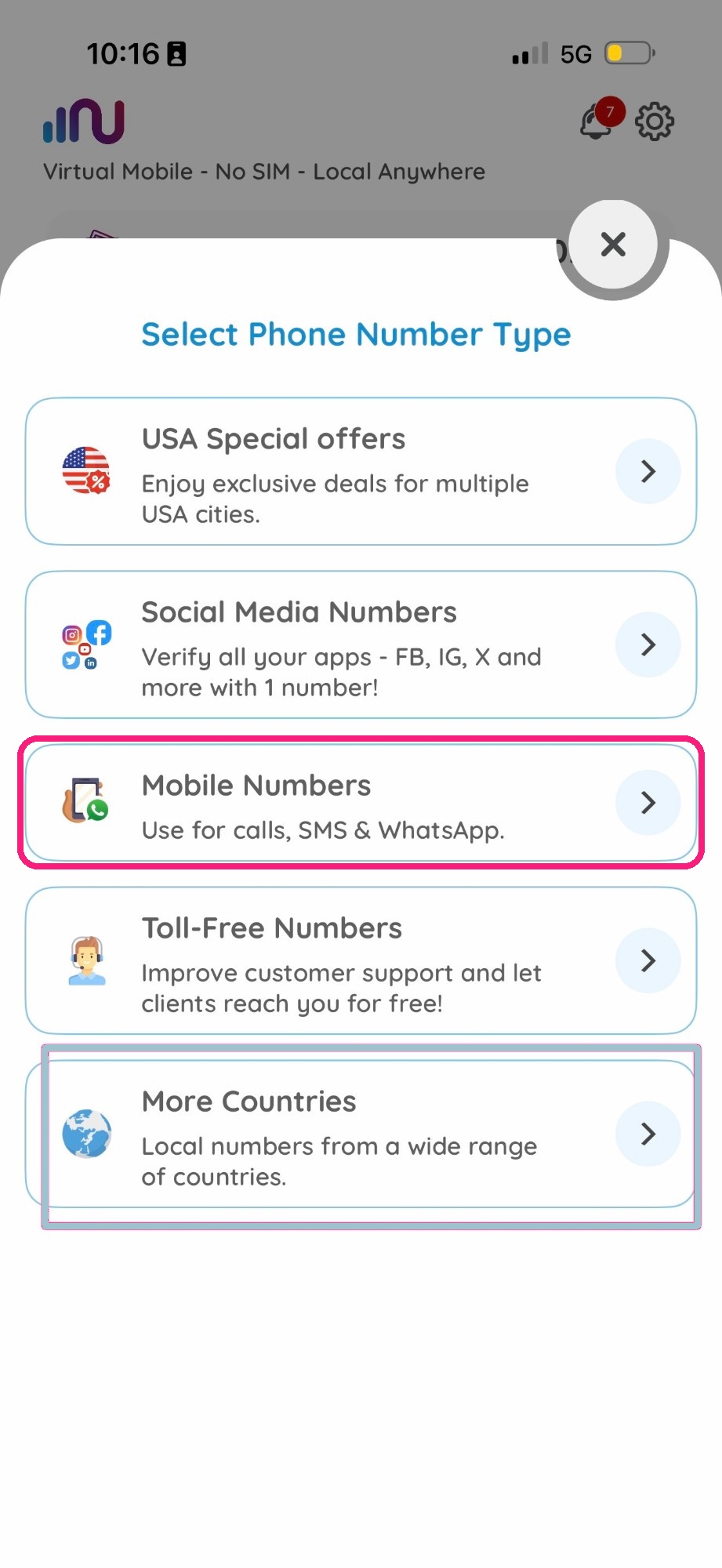
- Mobile Numbers — pick any number from this category and use it for WhatsApp, calls, and SMS.
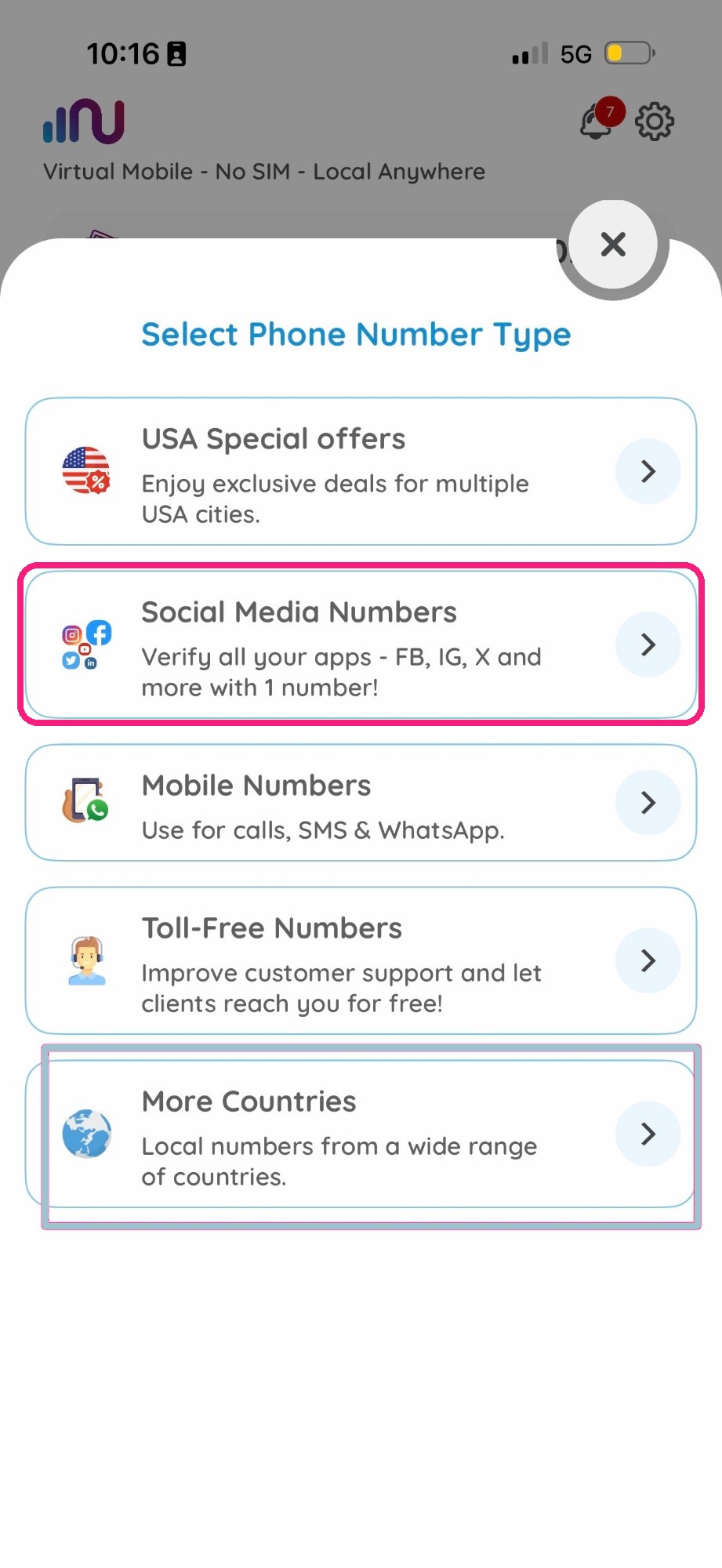
- Social Media Numbers → WhatsApp — a category dedicated specifically to app verification. Choose “Social Media Numbers,” then the “WhatsApp” category inside it, then your number.
These are the only two paths — both draw from the same country list: United States, United Kingdom, Lithuania, Netherlands, Ukraine, Denmark, Chile, Brazil, Sweden, Belgium, Colombia, Nicaragua, Thailand, Ghana, Ecuador, Slovakia, Mexico, Peru, South Africa, and Finland. The exact list is shown live on the app and website and can grow over time.
How to Get Your Virtual Number from Numero
Step 1: Get an Account
On the app: if you don’t already have it installed, download the Numero eSIM app and create an account with your real phone number. On the website: create an account with your email instead.

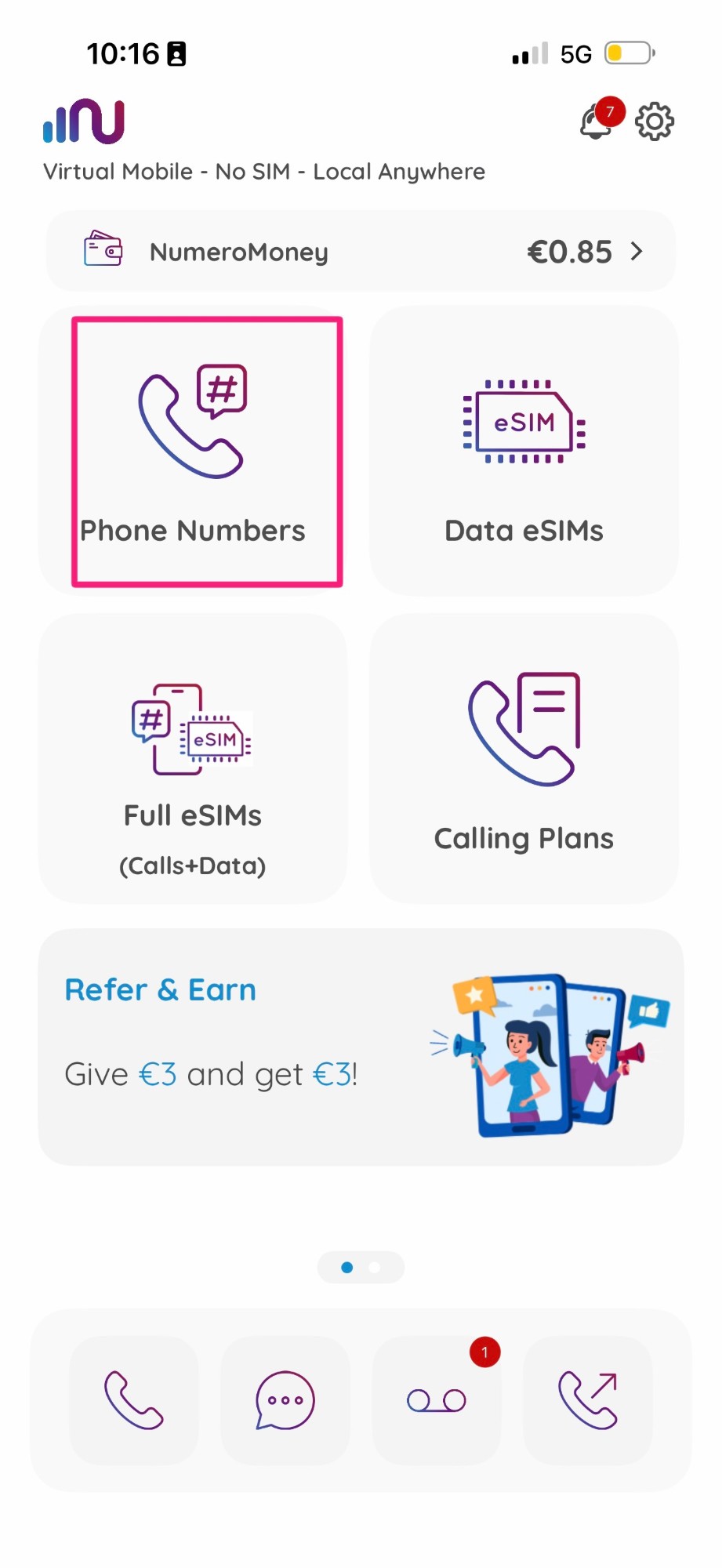
Step 2: Open Phone Numbers
Tap “Phone Numbers” on the homepage.
Step 3: Pick One of the Two Paths
Path A — Mobile Numbers
- Tap “Mobile Numbers”.
- Choose the country.
- Choose your number.
- Tap “Buy Plan” to get your number.
Path B — Social Media Numbers → WhatsApp
- Tap “Social Media Numbers”.
- Tap “WhatsApp”.
- Choose your number.
- Tap “Buy Plan” to get your number.
Note: countries supporting local calling let you add local-rate minutes to your plan, for calling numbers from that same country at local rates. SMS support is also shown per number before you buy, since it varies by listing.
Step 4: Verify on WhatsApp
- Open WhatsApp and start the registration process.
- When prompted, enter your new virtual number from Numero. Via call or SMS.
- Complete the verification process by entering the code sent to your Numero app.
FAQ
What's the difference between Mobile Numbers and Social Media Numbers for WhatsApp?
They draw from the same countries. Mobile Numbers are general-purpose (calls, SMS, apps); Social Media Numbers → WhatsApp is the same number pool, organized specifically for app verification. Either works.
Which countries can I get a WhatsApp number from?
Currently United States, United Kingdom, Lithuania, Netherlands, Ukraine, Denmark, Chile, Brazil, Sweden, Belgium, Colombia, Nicaragua, Thailand, Ghana, Ecuador, Slovakia, Mexico, Peru, South Africa, and Finland. This list is shown live in the app and website and can grow over time.
Do I need to be in that country to use the number for WhatsApp?
No — it’s a virtual number, so it works over the internet from anywhere with the Numero eSIM app.
What happens if I don't renew my WhatsApp number?
If the subscription isn’t renewed and the number is released, you may lose access to the WhatsApp account tied to it — keep auto-renewal on to avoid interruption.
Obtaining a virtual number for WhatsApp is a simple and effective way to enhance your privacy, manage multiple accounts, and communicate globally. Follow the steps outlined in this tutorial, and you’ll be set up with your new virtual number in no time.