


The Roaming Nightmare
Have you ever found yourself in a foreign land, only to be greeted by a hefty mobile bill upon your return? Chances are, you were hit by data roaming charges. It’s that servie that can turn a dream vacation into a financial nightmare. But what exactly is data roaming, and why does it cost so much?
Consider the ever-increasing reliance on mobile devices for everything from navigation to communication. When we travel, we expect instant connectivity, but this convenience often comes at a price. Data roaming is a hidden cost that can quickly add up if you’re not careful.
What is Data Roaming?
Data roaming occurs when you use your mobile device’s data connection outside your home network. Essentially, your phone connects to a network provided by a different carrier, often in another country. This allows you to stay connected and access the internet, but it involves a complex negotiation between your carrier and the foreign network provider.
Think of it like renting a car while traveling. You’re using a resource that’s not your own, and there’s a cost associated with it. In the case of data roaming, the cost is determined by the agreement between your carrier and the foreign network.
Why is Data Roaming So Expensive?
The exorbitant fees associated with data roaming are a complex issue influenced by a number of interconnected factors. These factors are:
Network Access Fees
The fees charged by foreign network providers for access to their infrastructure are not merely transactional costs. They encompass a wide range of expenses, including:
- Infrastructure Maintenance: The upkeep of towers, antennas, and other network components is costly, requiring regular maintenance, upgrades, and replacements.
- Network Expansion: Foreign carriers invest heavily in expanding their networks to meet the growing demand for mobile services, particularly in tourist destinations.
- Regulatory Compliance: Adherence to local regulations, including spectrum licensing fees and infrastructure standards, adds to the overall cost burden.
- Interconnection Fees: Foreign carriers may need to pay interconnection fees to other networks within the country to ensure connectivity for roaming users.
These factors contribute to the substantial costs that carriers incur when providing roaming services, ultimately leading to higher charges passed on to consumers.
Limited Competition
In regions with limited competition among mobile carriers, consumers may have fewer choices when it comes to selecting a roaming plan. This lack of competition can lead to higher prices as carriers have less incentive to lower their rates to attract customers.
Foreign Network Pricing Structures
The pricing structures of foreign networks vary widely across different countries and regions. Factors such as economic conditions, regulatory environments, and market demand can influence the cost of data services.
Some countries may have relatively high data costs due to factors such as limited infrastructure or high demand. In contrast, other countries may offer more affordable data plans, potentially driven by government policies or increased competition.
The Role of Technology
Technological advancements have the potential to both reduce and increase the cost of data roaming. On the one hand, technologies such as 5G and network slicing can improve network efficiency and reduce costs for carriers.
However, the introduction of new technologies can also lead to increased costs, as carriers may need to invest in upgrading their infrastructure and developing new services.
How to Avoid Data Roaming Cost?
Data roaming, once a daunting prospect for travelers, can now be easily managed with a few strategic steps. By following these expert tips, you can enjoy your travels without the fear of the heavy bills.
Before You Go: Plan Ahead
Planning your travel involves many factors, including how to stay connected and how to save money. For budget travelers, understanding and managing data roaming costs is especially important. By taking the time to research your options and plan ahead, you can significantly reduce the financial burden of staying connected while traveling. Here is what you can do to avoid data roaming charges:
- Check Your Plan: Review your existing mobile plan to determine if it offers any international data benefits. If not, consider upgrading to a plan that includes a generous data allowance for roaming.
- Consider a Local eSIM: Purchasing a local eSIM can be a cost-effective and convenient option, this way you won’t need to stand in long lines at the airport to get a local SIM card, and you will ensure instant connectivity once you land. Numero eSIM offers eSIM data plans for over 150 countries, providing affordable data, easy installation, and a variety of plan options. Numero also offers all telecommunication services anyone would ever need to stay connected anywhere in the world. It’s trusted by 20,000,000+ users globally and the travel influencers first option to stay connected.
- Turn Off Data Roaming: Before leaving your home country, disable data roaming on your device to prevent accidental usage.
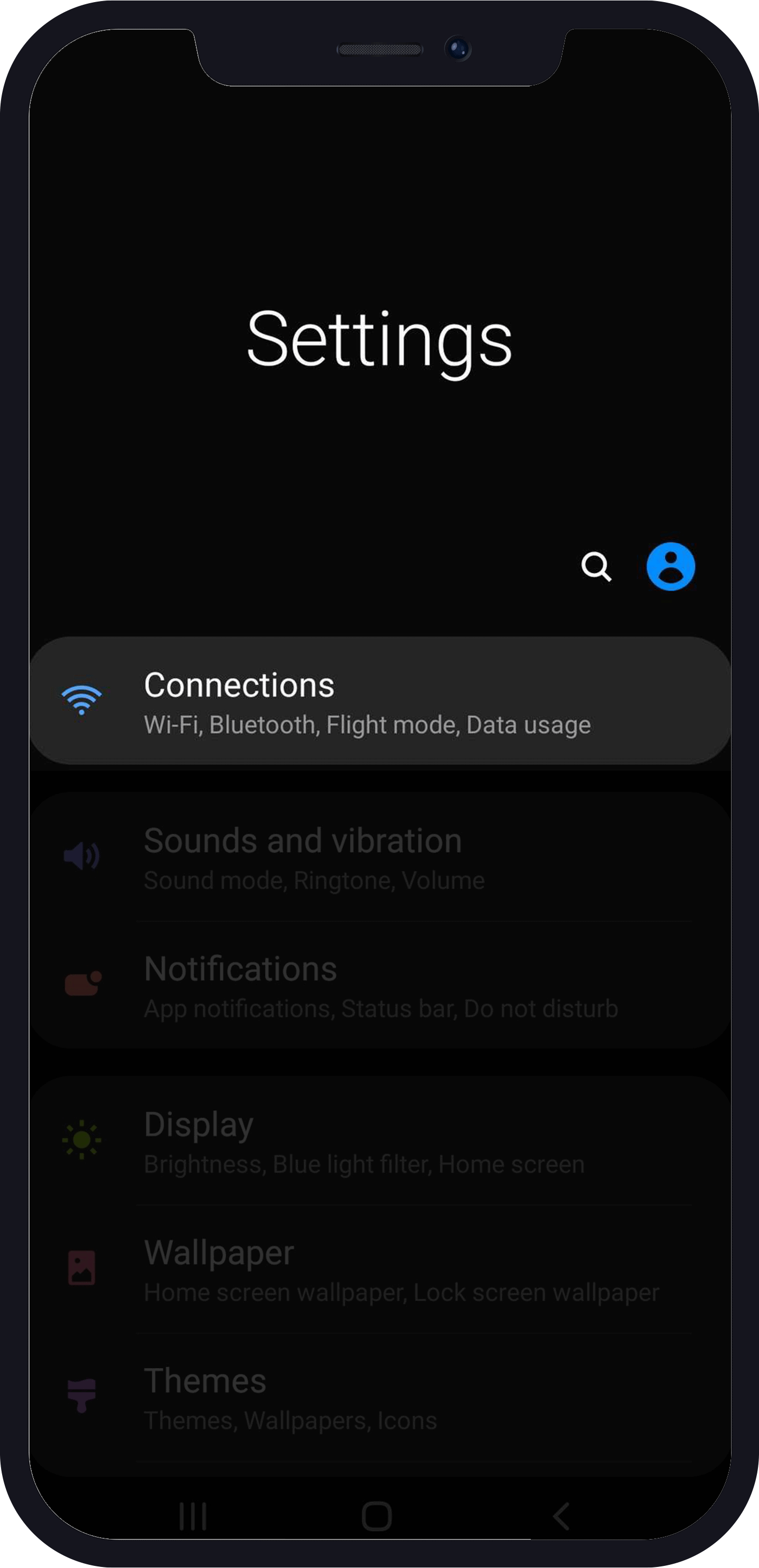
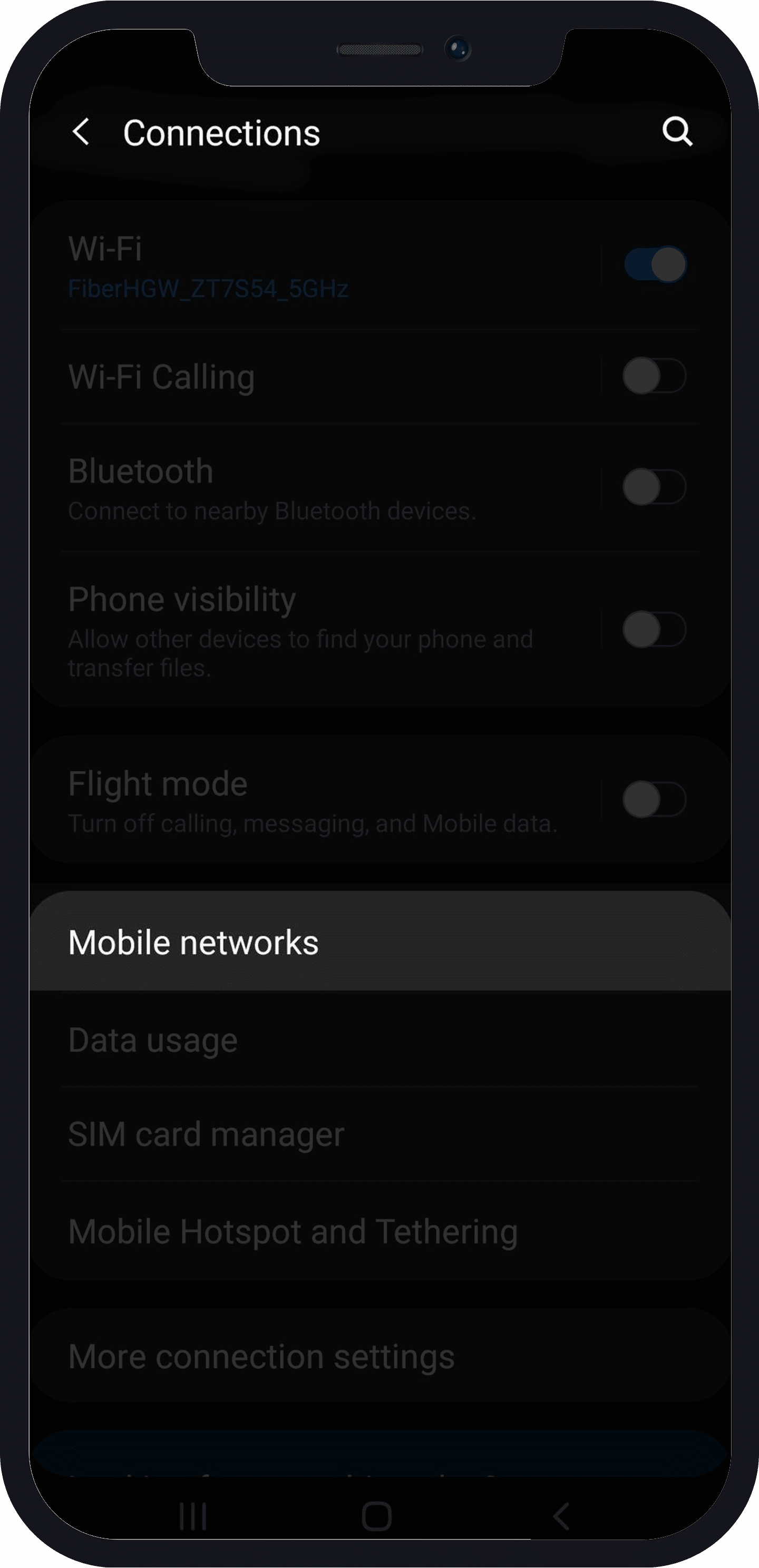
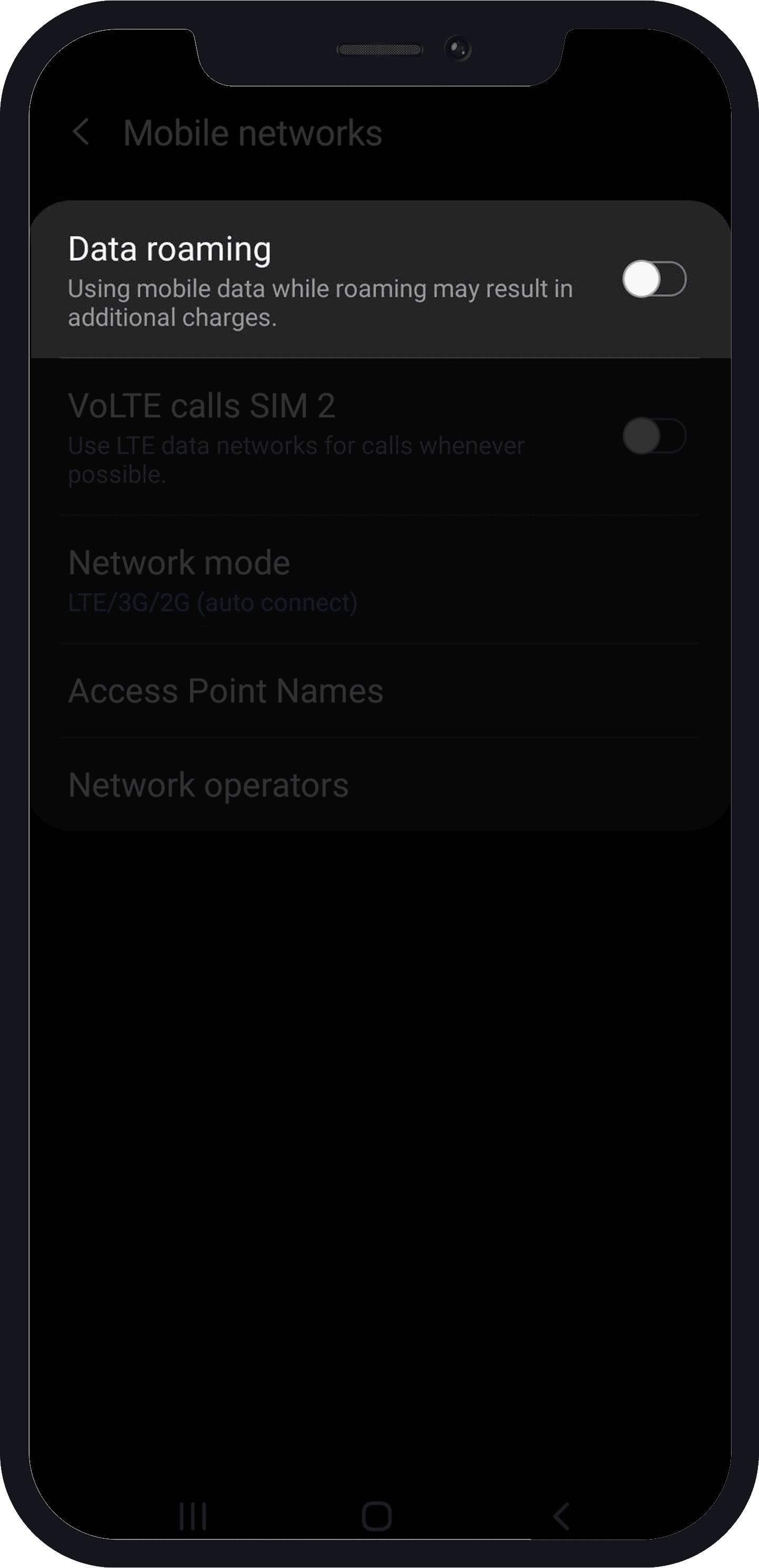
How You Can Enable/Disable Roaming On Your Android Device
- Go to “settings” > “Connections“.
- Click on “Mobile Network”
- Once you have done that, you would have to toggle the switch that reads “Data Roaming” to turn it on.
To disable, you have to go through the same process, only that, this time you will have to toggle to the “Off” switch.
What is Data Roaming on iPhone?
Same as Android, data roaming means the same thing, and here is how to enable/disable data roaming on your iPhone.
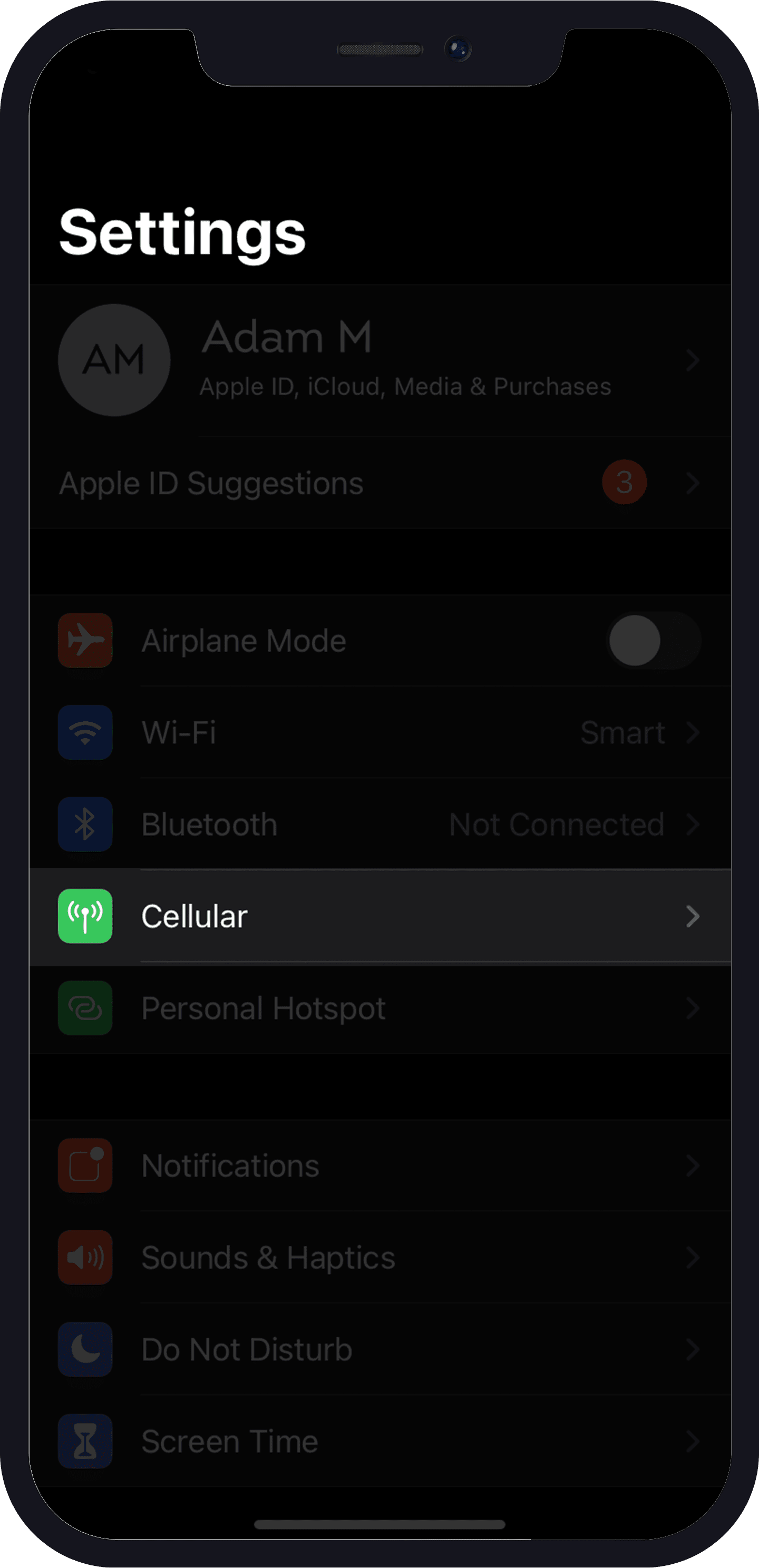
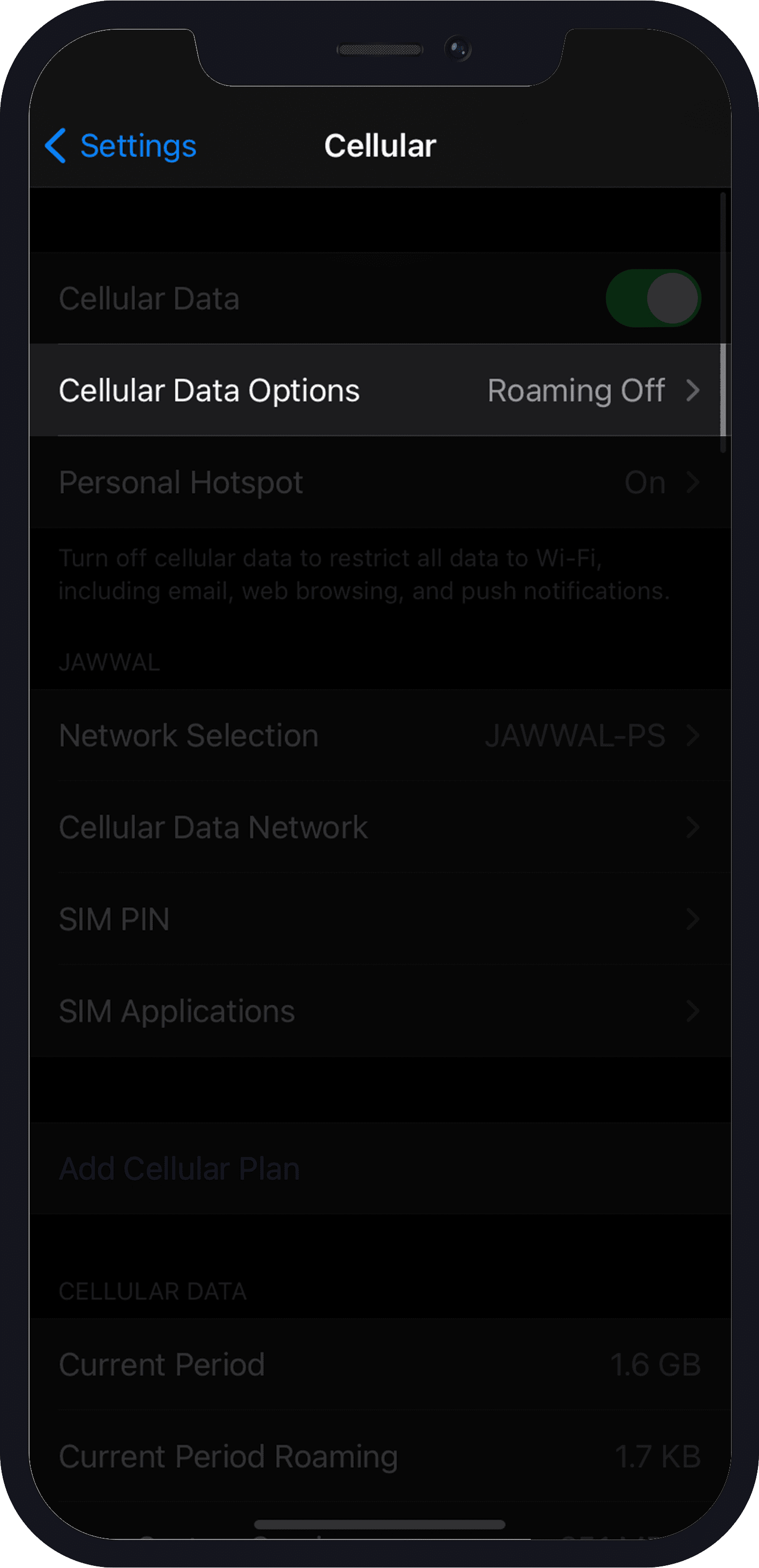
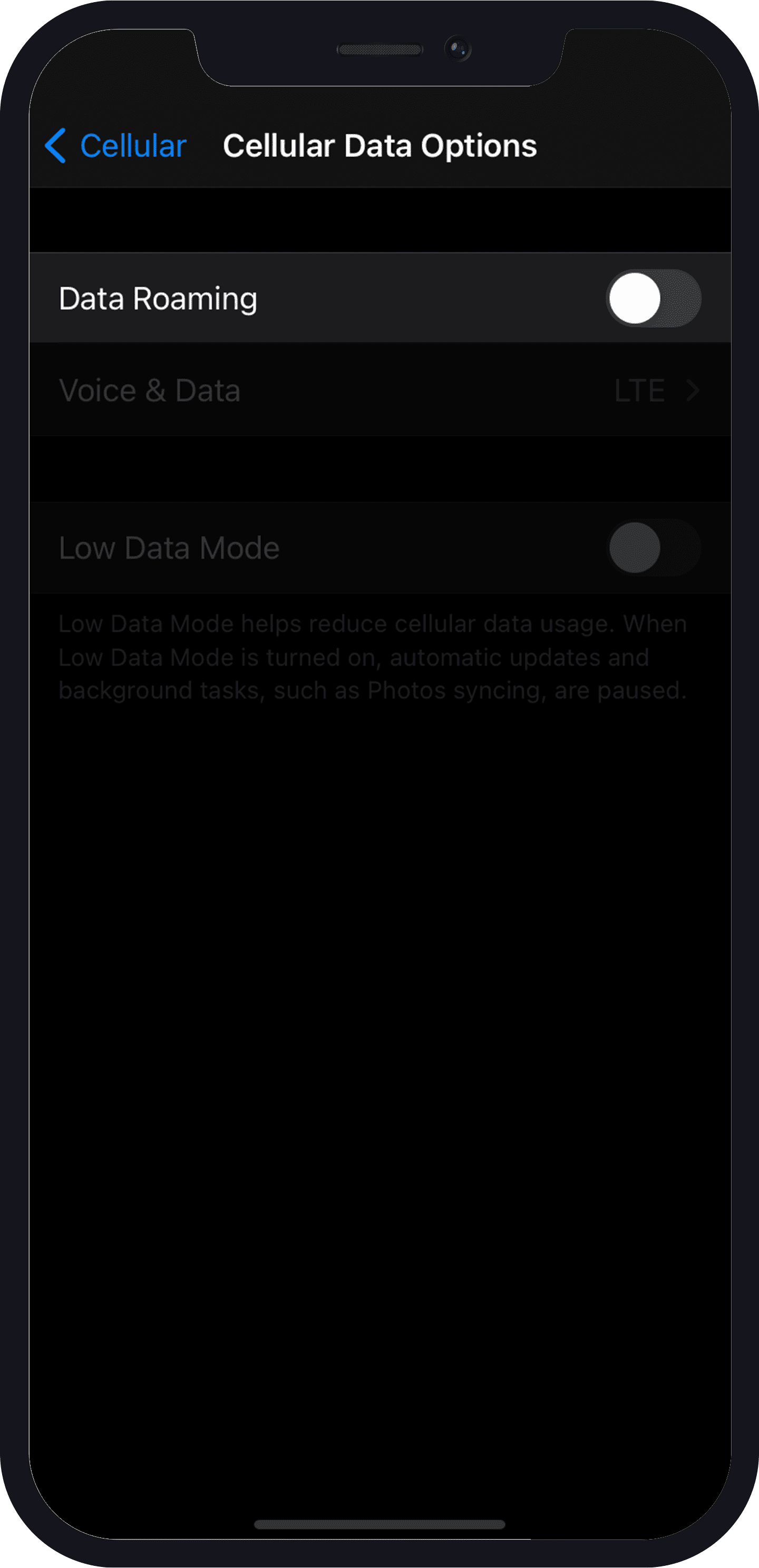
How to Enable/Disable Roaming On Your iPhone Device
- Go to “settings”.
- Tap on “Cellular”> “Cellular Data Options”
- Turn on “Data Roaming”
- To disable, follow the same steps, but this time you have to turn off data roaming.
While You’re Away
Even if you’re already abroad, there are still ways to limit your data roaming bill, here they are:
- Use Wi-Fi: Connect to Wi-Fi wherever possible to avoid using mobile data. Hotels, cafes, and public spaces often offer free or paid Wi-Fi. But while Wi-Fi is often free and convenient, remember that public Wi-Fi networks can be less secure. Consider using your mobile data instead from a reliable eSIM provider like Numero eSIM for a more secure connection.
- Streaming and Downloads: Streaming services often use high-quality video formats that require a significant amount of data. Similarly, downloading large files like movies, games, or high-resolution images can quickly deplete your data allowance.
- App Management: Disable or limit data usage for apps that don’t require an active internet connection.
How to Manage App Data Usage on Android and iOS
iOS:
- Open the Settings app on your device.
- Tap Cellular: This option might be named “Mobile” or “Mobile Data” depending on your iOS version.
- You’ll see a list of apps and their data usage. Tap on an app to view its individual data usage and toggle the “Cellular Data” switch to turn it off or on.
- Limit Background Refresh: Tap on “Cellular Data Usage” and then select “App Background Refresh.” You can turn off background refresh for individual apps or disable it for all apps.
Android:
- Open the Settings app on your device.
- Tap Network & Internet: This option might be named “Connections” or “Wireless & networks” depending on your Android version.
- Tap on “Data Usage” or a similar option.
- You’ll see a breakdown of your data usage for the current billing cycle. Tap on an app to view its individual data usage and set data limits.
With a little planning, you can confidently travel the world without the worry of data roaming costs. Use Numero eSIM app to stay connected securly and affordably anywhere in the world!
FAQs
1. What is the best way to avoid data roaming charges while traveling?
The most effective and safe way to avoid data roaming charges is to use a local eSIM card from the destination country, it’s safer than public Wi-Fi and will save you time and effort.
2. How can I check my data usage while roaming?
Most smartphones have built-in tools to track data usage. You can typically find this information in your device’s settings under “Cellular” or “Mobile Data.”
3. What should I do if I accidentally use data roaming?
If you accidentally use data roaming, review your carrier’s international roaming plans to understand the charges. You may also immediately stop roaming from your device .
4. Can I use my home carrier's data plan while traveling?
While you can use your home carrier’s data plan while traveling, it’s important to be aware of the associated roaming charges. These charges can be significant, so it’s often more cost-effective to use a local SIM card or eSIM.
5. What is an eSIM and how does it work?
An eSIM is a digital SIM card that can be activated directly on your device without the need for a physical SIM card. This makes it a convenient option for travelers who don’t want to carry multiple SIM cards.
6. Are there any risks associated with using public Wi-Fi networks?
Public Wi-Fi networks can be less secure than private networks. It’s important to be cautious when using public Wi-Fi and avoid accessing sensitive information, such as your banking details or passwords.
7. What should I do if I'm concerned about exceeding my data allowance while roaming?
If you’re concerned about exceeding your data allowance, you can monitor your usage regularly and adjust your usage accordingly. Consider disabling or limiting data usage for non-essential apps and avoiding data-intensive activities like streaming videos or downloading large files.