

Getting on WhatsApp has always started with one thing: a phone number. That part hasn’t changed. But the way people in Pakistan actually get that number? That’s a different story now.
Most of us still do it the old-fashioned way: walk into a Jazz, Telenor, or Zong shop, hand over your CNIC, go through the biometric scan, and walk out with a SIM card. But virtual numbers are especially useful for people who want to separate their personal accounts from business accounts, looking to increase their authenticity, and protect their privacy.
So if you’re trying to figure out which route makes sense for your WhatsApp setup, here’s a no-nonsense breakdown of what each option does well and where it falls short.
How Each Option Actually Works
With a physical SIM, you’re tied into a carrier’s mobile network. You buy the SIM, register it against your CNIC through biometric verification, pop it into your phone, and WhatsApp sends you an OTP over SMS. Done.
Virtual numbers skip all of that. They run on VoIP technology; basically, everything happens over the internet. You grab a number through a service like Numero, pick a country (US, UK, or any of 80+ options), and the WhatsApp verification code lands inside the provider’s app. No SIM card, no store visit, no fingerprint scan.
At the end of the day, it boils down to this: one depends on hardware and a cell tower, the other depends on software and a Wi-Fi connection.
Where Virtual Numbers Have the Edge
Privacy And It’s Not Even Close
For a lot of Pakistani users, this is the dealbreaker. Every physical SIM is locked to your CNIC. That means every WhatsApp message, every account registration, every marketplace listing traces straight back to you. If you’re selling online, freelancing on Upwork, or running social media pages, that kind of exposure isn’t always something you want.
A virtual number from Numero puts a wall between your real identity and your online activity. Your personal CNIC-linked number stays in your pocket, and your virtual number handles the rest. It’s a simple separation, but it makes a big difference.
Looking Like You’re Based Abroad
Freelancers and business owners in Pakistan deal with this all the time: you’re working with clients in the US or UK, but your WhatsApp shows a +92 number. It doesn’t exactly scream “international operation.”
With a virtual number, you pick up a US or UK number in minutes. Your WhatsApp profile shows a +1 or +44 number, which goes a long way with overseas clients. The guide on registering a US WhatsApp number from Pakistan walks through the whole process.
Running Multiple WhatsApp Accounts
Need a second WhatsApp account? With a physical SIM, you’re hunting for a dual-SIM phone, getting another CNIC-registered SIM, and juggling two pieces of plastic.
Virtual numbers make this painless. Buy two, three, or five numbers from different countries if you want, and manage them all from one app.
Where Physical SIMs Still Make More Sense
They Work When the Internet Doesn’t
A physical SIM doesn’t care if your Wi-Fi is down or your mobile data is acting up. You still get SMS, still make calls, and your WhatsApp messages queue until you’re back online.
Virtual numbers don’t have that luxury. No internet means no OTPs, no app access, nothing. If you live somewhere in Pakistan where connectivity is slow or completely non-existent, this is a real problem.
Everything Just Works Natively
When a call comes in on your physical SIM, it rings through your phone’s normal dialer. SMS shows up in your regular messaging app. WhatsApp verification happens in the background. Seamless.
With a virtual number, you’re switching between WhatsApp and the Numero app during setup. Not difficult, but not invisible either.
People Trust What They Know
Most people in Pakistan are comfortable with physical SIMs because they’ve used them forever. Your family has your number, your contacts know how to reach you. For your main WhatsApp account the one your parents call you on a physical SIM is still the natural choice.
You’re Already Paying for It
A physical SIM’s cost is baked into the carrier plan you’re already on. A virtual number means an additional subscription. If all you need is one WhatsApp account and you’re not worried about privacy, the physical SIM is the cheaper path because the expense is already part of your life.
Quick Note: eSIMs and Virtual Numbers Aren’t the Same Thing
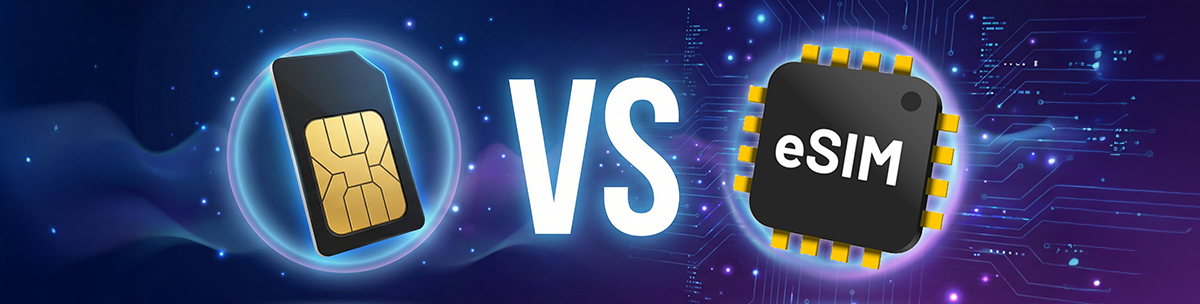
This might confuse a lot of people. An eSIM gives you mobile data and carrier connectivity without a physical card. A virtual number gives you a phone number for messaging and calls over the internet. They solve different problems.
Numero offers both. Traveling and need data? Go with an eSIM. Need a number for WhatsApp or business communication? That’s a virtual number. Some people grab both eSIM for staying connected, virtual number for a separate WhatsApp line.
So Which One Should You Actually Pick?
Stick with a physical SIM if:
- It’s your main WhatsApp account the one family and friends use
- Your internet connection is unreliable
- You don’t have particular privacy concerns
- One WhatsApp account is all you need
- You like everything running through your phone’s built-in features
Go with a virtual number if:
- You need a second or third WhatsApp account
- You don’t want your CNIC number floating around online
- You work with international clients and want a foreign-looking number
- You’re separating personal and business communication
- You manage multiple social media accounts that each need their own number
- You want a WhatsApp Business line that’s separate from your personal one
Honestly? A lot of people are better off using both a physical SIM for the main line and a virtual number for business, freelancing, or anything where privacy matters.
The Drawbacks of Virtual Number and Physical SIM
Both options have real drawbacks, and it’s only fair to lay them out.
Virtual number downsides: You need internet at all times. The subscription cost adds up. Some services outside WhatsApp won’t accept VoIP numbers. Call quality depends on your connection. And if you forget to renew, you could lose access to accounts tied to that number.
Physical SIM downsides: Your number is permanently linked to your CNIC. You’re limited to Pakistani numbers. Not every phone has dual-SIM support. Getting a replacement means another biometric visit.
For more on how virtual numbers sit within Pakistan’s legal framework, the article on virtual number legality in Pakistan covers the common concerns.
Frequently Asked Questions
Is a virtual number as reliable as a physical SIM for WhatsApp?
For registration and everyday use, yes, provided you have a stable internet connection. The OTP comes through the Numero app, and once you’re verified, WhatsApp works the same way regardless of what type of number is behind it.
Can I move my WhatsApp from a physical SIM to a virtual number?
You can. WhatsApp lets you change your number in the app settings. Register your virtual number, verify it with the OTP, and your chats carry over as long as you’re on the same device.
Which costs less over time?
A physical SIM, generally, since you’re already paying for a carrier plan. Virtual numbers come with a recurring subscription. That said, if you need multiple or international numbers, managing several physical SIMs gets expensive quickly.
Do WhatsApp calls and video calls work on a virtual number?
Yes. Once verified, everything works: texts, voice calls, video calls, media sharing, and group chats. WhatsApp calls run on their own protocol, separate from the virtual number’s VoIP system.
Should I ditch my physical SIM entirely?
For most people, no. Keep your primary account on a physical SIM for reliability. Use a virtual number for the secondary stuff business lines, privacy-sensitive accounts, and international presence. They work best together.
Conclusion
There’s no universal right answer here. Physical SIMs are still the backbone of WhatsApp use in Pakistan, reliable, familiar, and free of extra cost. Virtual numbers earn their place when you need privacy, an international number, multiple accounts, or a clean split between work and personal life.
The smartest move for most people? Run your main line on a physical SIM and grab a virtual number from Numero for everything else.
If you want to dig deeper into how this all works, the ultimate guide to getting a virtual number for WhatsApp in Pakistan is a solid starting point.
Visit numeroesim.com or download the Numero app to find the right number for your needs.