

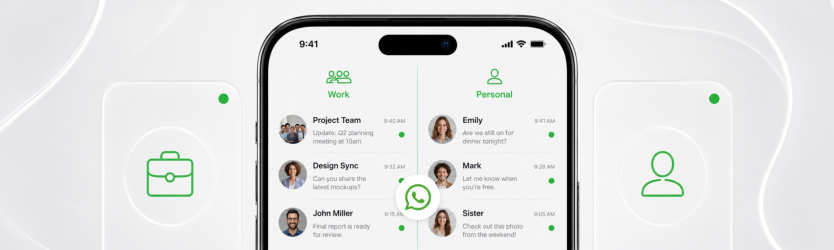
If you run any kind of side business, you know the problem. A client messages your personal WhatsApp at 11pm. Your aunt lands in the same chat list as a customer asking about an order. Your profile photo and “last seen” are visible to people you would rather keep at arm’s length. The usual fix people imagine is carrying a second phone. You do not need one.
Modern WhatsApp lets you run two separate accounts on a single device, and the only thing you actually need is a second number. Here is how to set it up and keep the two worlds properly apart.
The scenario this solves
This is for the freelancer who wants clients off their personal line, the shop owner who wants orders in one place, the person selling on the side who does not want strangers seeing their family photos. Two accounts means two identities: one for people you know, one for business, both on the phone already in your hand.
Setting it up
- Get a second number first. This is the foundation. A virtual number from Numero eSIM works well here because it is a real line that receives the WhatsApp code, it lives in the Numero eSIM app rather than a second SIM tray, and you can pick the country it is based in. People who want a specific presence, such as a US line for international clients, often follow the US number for WhatsApp approach.
- Add the second account. On recent versions of WhatsApp, open Settings, tap the arrow next to your name, and choose to add another account. Verify it with the code sent to your second number.
- Or use WhatsApp Business as the second app. If you want business tools like a catalog, quick replies, and away messages, install WhatsApp Business alongside regular WhatsApp and register it with the second number. Same idea, more features for the work side.
- Set boundaries. Give the business account its own profile photo and hours, and keep your personal account’s privacy locked down. The guide to using WhatsApp without exposing your personal number covers the privacy side in detail.
Regular WhatsApp vs WhatsApp Business
| Regular WhatsApp | WhatsApp Business | |
|---|---|---|
| Best for | Personal chats | Customers and orders |
| Business profile | No | Yes (hours, address, catalog) |
| Quick replies and away messages | No | Yes |
| Labels to organize chats | No | Yes |
| Runs alongside your personal account | Yes, as a second account | Yes, as a separate app |
Neither is “better”; they are for different jobs. Many people run their personal life on regular WhatsApp and their side business on WhatsApp Business, both fed by that one second number.
A few etiquette notes
Keep the accounts genuinely separate. Do not broadcast personal updates to customers, and do not let work pile into the chat your family uses. If you take calls for the business, a dedicated Numero eSIM calling plan keeps that activity off your personal line too, and the guide to making international calls helps if your clients are abroad. If you would rather have a complete second line with its own data and calling, the Full eSIM bundles all of it into one profile.
FAQ
Do I need a second SIM to run two WhatsApp accounts?
No. You need a second number, not a second SIM. A virtual number receives the verification code and works fine for a second account or for WhatsApp Business.
Can I run regular WhatsApp and WhatsApp Business on the same phone?
Yes. They are separate apps and can both be installed, each registered to a different number.
Will my contacts see both my numbers?
No. Each account is its own identity. Personal contacts see your personal account; customers see the business one.
Can the second number be from another country?
Yes. You choose the country, which is handy if your clients expect a local or international line. An international number for WhatsApp works the same way as a local one.
Is a virtual number reliable for WhatsApp long term?
Yes, as long as you keep the line active. It stays yours independently of whatever SIM is in your phone.