

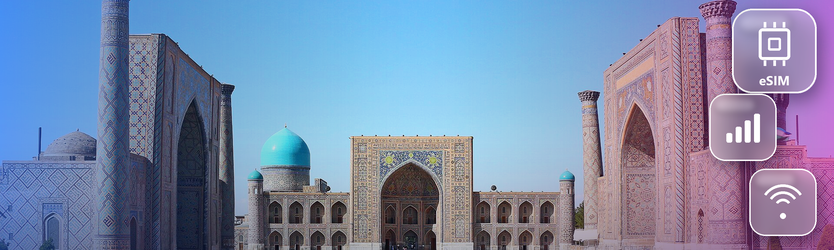
More families from Pakistan are choosing Uzbekistan for a week away, and it is easy to see why. The flight is short, the food feels familiar, and the old cities of Samarkand and Bukhara hold some of the most important sites in Islamic history, including the memorial complex of Imam al-Bukhari near Samarkand. Many of these trips are group trips: parents, grandparents, cousins, sometimes a whole extended family travelling together.
Group travel in an unfamiliar country puts real weight on the phone. Someone always needs to know where the others are, when the train leaves, and which hotel tonight’s booking is under.
What each stage of the journey asks of the phone
| Stage of the journey | What the group needs | Data note |
|---|---|---|
| Landing in Tashkent | Transfers, hotel address, a message home | Set up before departure so it works on arrival |
| Days in Tashkent | Maps, restaurant choices, metro directions | City coverage is generally good |
| High-speed train to Samarkand | Tickets for everyone, carriage and seat numbers | Save tickets as files before boarding |
| Samarkand and the memorial complex | Meeting points, visiting hours, photos for family | Busy sites are easy places to lose each other |
| Onward to Bukhara | Next train, guesthouse location in the old city | Download the old city map; lanes are narrow |
| Return journey | Check-in, transfers, final messages | Plenty of time; confirm everything the night before |
Setting up before leaving Pakistan
Install an Uzbekistan data plan at home over wifi, a day or two before the flight. The setup route is quick, and Android users will find the menu paths in the Android setup guide. Check each traveller’s handset against the compatible phones list, particularly older phones belonging to parents and grandparents. For anyone new to the idea, what an eSIM is explains it simply.
Your Pakistani number stays in the handset. Relatives at home keep calling and messaging it as usual, while the travel line carries the internet. Switch off data roaming on the Pakistani line before departure; how roaming is charged explains why.
A coordination checklist for group trips
- Put at least two phones in the group on a travel data plan, so one flat battery does not cut everyone off
- Create one group chat for the trip before you leave home
- Share live location between the phones that have data during busy visits
- Agree a fixed meeting point at every large site, somewhere easy to describe
- Save every train ticket to more than one phone
- Write the hotel name and address on paper for older relatives
- Keep a small power bank in each day bag
- Decide who holds the booking details for each city
At large sites, the grounds are wide and crowded, and older family members may walk at a different pace. A shared location and an agreed meeting point make the difference between a calm visit and an anxious half hour of searching.
Helping older relatives with their phones
If grandparents are travelling, set their phones up together at home rather than at the airport. Show them how to open the group chat, how to share their location, and how to call the person holding the bookings. Put everyone’s numbers in their contacts by name. Then make charging part of the evening routine at each hotel, because an older phone on a long sightseeing day can run flat by mid-afternoon.
Coverage on the route
Tashkent, Samarkand and Bukhara are all reasonably well covered, and the high-speed trains that link them run through populated country for much of the way. Coverage can thin out on longer journeys through the desert, for example if you continue west towards Khiva. Downloading the next city’s map before each move handles that. Hotel wifi varies, so using public wifi more safely is worth a quick read.
One eSIM Uzbekistan plan covers the whole route, since it is sold for the country. A family trip is usually light on data per person: maps, messages and photos. Start modest and add more if needed. The guide to choosing plan sizes explains how. If a phone lands and shows no data, the travel eSIM checklist covers the usual setting problems.
If the trip continues
Some families add neighbouring Kazakhstan, which has its own Kazakhstan plan. For longer multi-country trips, compare the regional Asia plans and check that every country on the route is listed, or look at the global plan range.
Conclusion
A Silk Road trip with family is a trip worth doing calmly. Install before leaving Pakistan, give more than one person in the group a working connection, and agree meeting points at every busy site. Relatives visiting Pakistan from abroad can use a Pakistan plan, and the guide to landing connected on a visit home covers that journey. Every plan is listed on the Numero eSIM home page.
Frequently Asked Questions
Does one plan cover Tashkent, Samarkand and Bukhara?
Yes. It is a country plan, so all three cities and the routes between them are included wherever there is a network.
Does everyone in the family need a plan?
Not necessarily, but at least two people should have one, so the group is never relying on a single phone.
Can relatives in Pakistan still reach my number?
Yes. The Pakistani line stays active for calls and messages. Just switch its mobile data off before the flight.
Is there signal on the high-speed trains?
For much of the route, yes. Save tickets and the next city’s map before boarding in case of gaps.
How much data does a one-week family trip need?
Usually a modest amount per person. Add more mid-trip if needed.