How to Setup China Mobile Data Plans (For eSIM devices)
Do your travel frequently to China? You must have needed to:
- Get directions with the online maps
- Use Chinese voice translators
- Use the popular WeChat app
- Book Chinese trains
To get to stay online and do all that mentioned, you need You must have felt tired of the expensive international roaming fees and the hassle of getting a local SIM card every time you head to China.
Do you have an eSIM compatible device? Check the list.
eSIM Supported Devices List
This list can change as more eSIM-compatible devices are released into the market. As of February 2021, the list of eSIM compatible devices is as follows:
iOS
- iPhone 11
- iPhone 11 Pro
- iPhone 11 Pro Max
- iPhone 12
- iPhone 12 Mini
- iPhone 12 Pro
- iPhone 12 Pro Max
- iPhone XS
- iPhone XS Max
- iPhone XR
- iPhone SE (2020)
- iPad Air (4th generation)
- iPad Air (3rd Generation)
- iPad Pro 12.9‑inch (4th generation)
- iPad Pro 12.9‑inch (3rd generation)
- iPad Pro 11‑inch (2nd generation)
- iPad Pro 11‑inch (1st generation)
- iPad (8th generation)
- iPad (7th generation)
- iPad Mini (5th Generation)
Android
- Samsung Galaxy Fold
- Samsung Galaxy S21 Ultra 5G
- Samsung Galaxy S21 5G
- Samsung Galaxy S21+ 5G
- Samsung Galaxy S20
- Samsung Galaxy S20+
- Samsung Galaxy S20 Ultra
- Samsung Galaxy Z Flip
- Samsung Note 20+
- Nuu Mobile X5
- Google Pixel 3 & 3 XL
- Google Pixel 3a & 3a XL
- Google Pixel 4, 4a & 4 XL
- Google Pixel 5
- Gemini PDA
- Motorola Razr 2019
- Huawei P40
- Huawei P40 Pro
- Huawei Y7 Pro 2019
Windows 10
ACER
- ACER Swift 3
- ACER Swift 7
ASUS
- ASUS Mini Transformer T103HAF
- ASUS NovaGo TP370QL
- ASUS Vivobook Flip 14 TP401NA
Dell
- Dell Latitude 9510
- Dell Latitude 7410
- Dell Latitude 7310
- Dell Latitude 9410
- Dell Latitude 7210 2-in-1
HP
- HP Elitebook G5
- HP Probook G5
- HP Zbook G5
- HP Spectre Folio 13
LENOVO
- Lenovo Yoga C630
- Lenovo Miix 630
- Lenovo Yoga 520
- Lenovo Yoga 720 convertible laptops
SAMSUNG
- Samsung Galaxy Book 2
SURFACE
- Surface Go 2
- Surface Pro X
- Surface Pro 5 LTE Advanced
Note:
Depending on the country of origin or carrier, device compatibility constraints may be as follows:
- The iPhone series: iPhone 12 eSIM, iPhone 12 Pro, iPhone 12 Pro Max, iPhone 11, iPhone XS Max, and XR series are not available in China mainland, Hong Kong, and Macao, whereas eSIM is available for iPhone 12 mini, iPhone SE (2nd generation) and iPhone XS purchases in Hong Kong and Macao.
-
Pixel series: eSIM only works on Pixel 2 devices that come with the Google Fi service. The Pixel 3 ordered from Australia, Taiwan, and Japan is not compatible with eSIM, while Pixel 3 devices imported from any carrier in the US or Canada except for Sprint and Google Fi do not operate with eSIM. Besides, Pixel 3a is also not compatible with eSIM that is purchased in South East Asia and with Verizon operation.
- Samsung series: US-based Samsung S20 Series, Samsung Galaxy S21 5G Series and Samsung Galaxy Z Flip 5G, US-based Samsung Note 20 Ultra and Samsung Galaxy Z Fold 2 originated from the USA and Hong Kong are not eSIM compatible.
Great! Now, with Numero eSIM data plans, you can take all the most common pains out of traveling, so you can focus more on having a good time. Follow this step-by-step tutorial to know how to set up china mobile data plans for eSIM devices.
How to Setup China Mobile Data Plans (For eSIM devices)
(1) Start by visiting the Numero China website

(2) Click on “Sign up” to creat your account
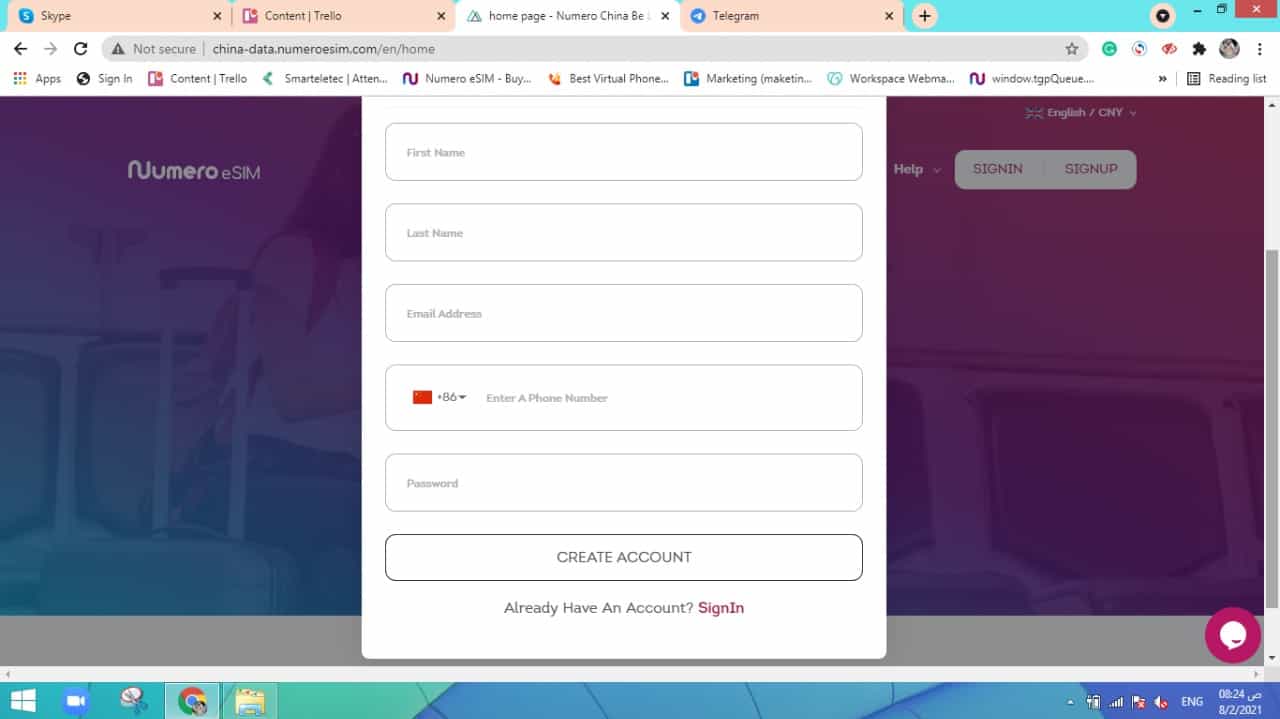
If you have an account,
- Click on “Sign in“
- Add your email and password
Note: you can also log in using WeChat by scanning the QR code.
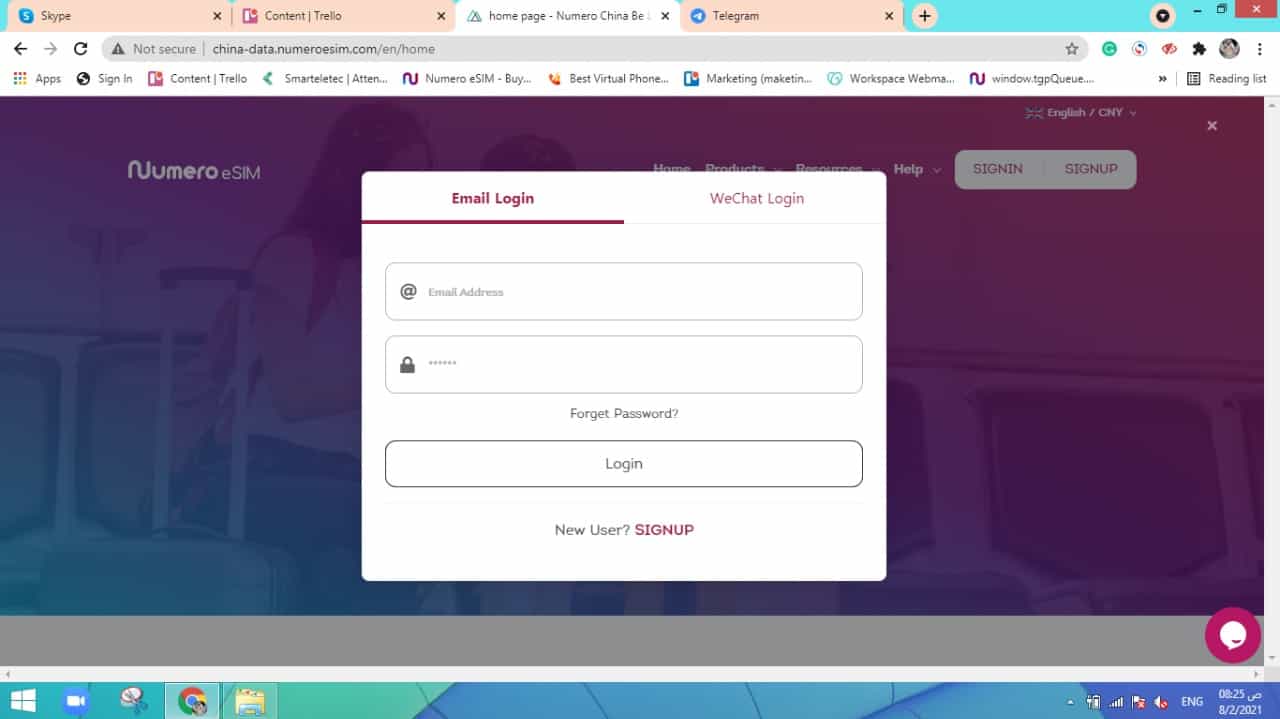
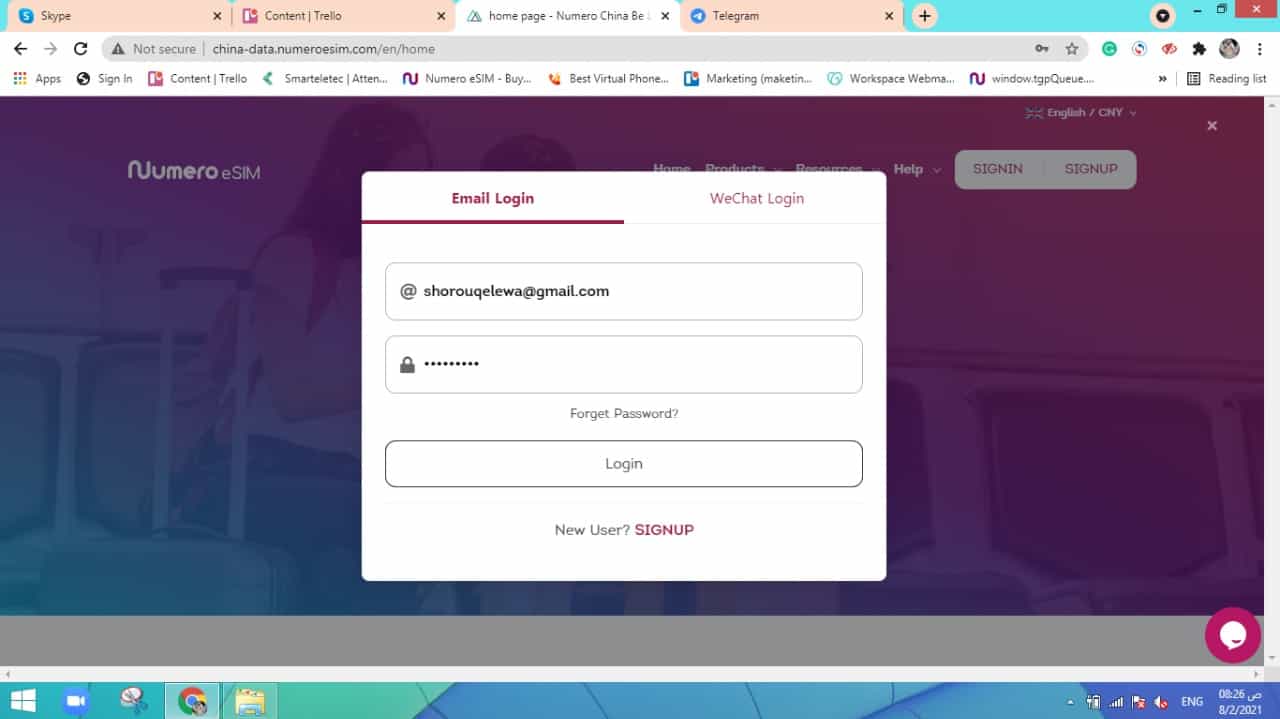
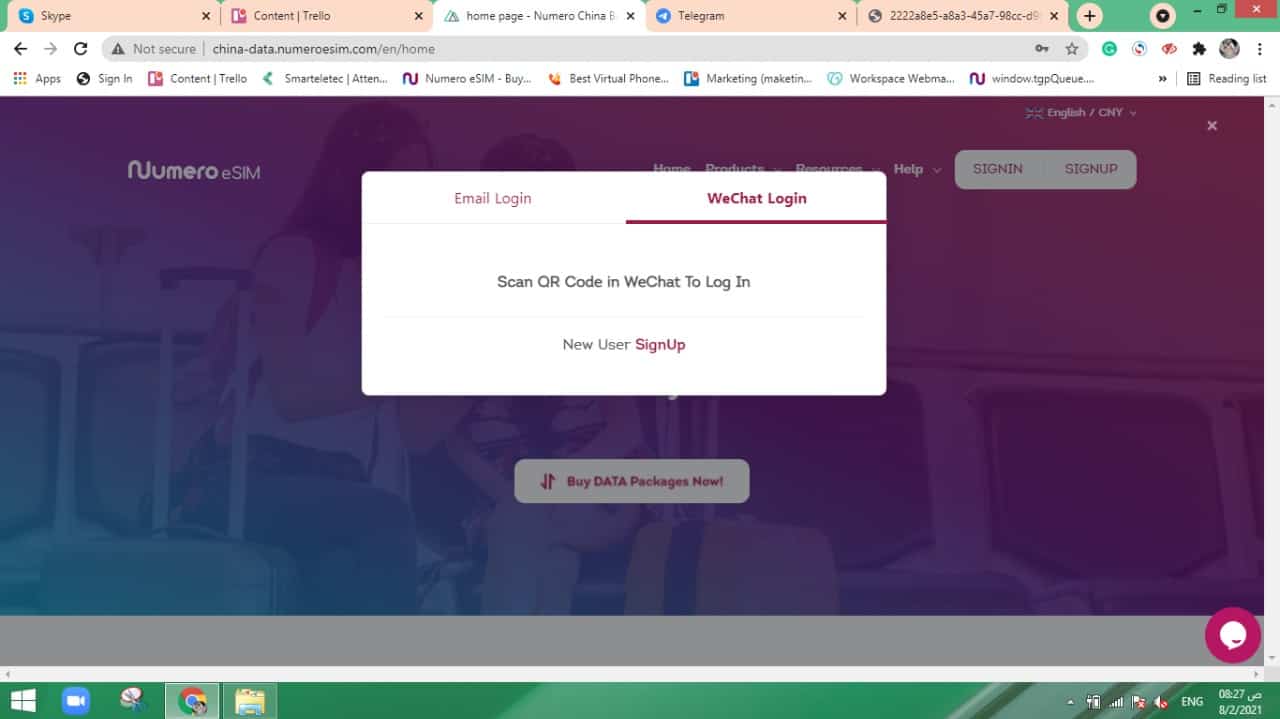
(3) Tap on “Products” > “Data eSIM”
Or you can just click on ” Buy data packages now”.

(4) Choose local or regional data
Then select the country
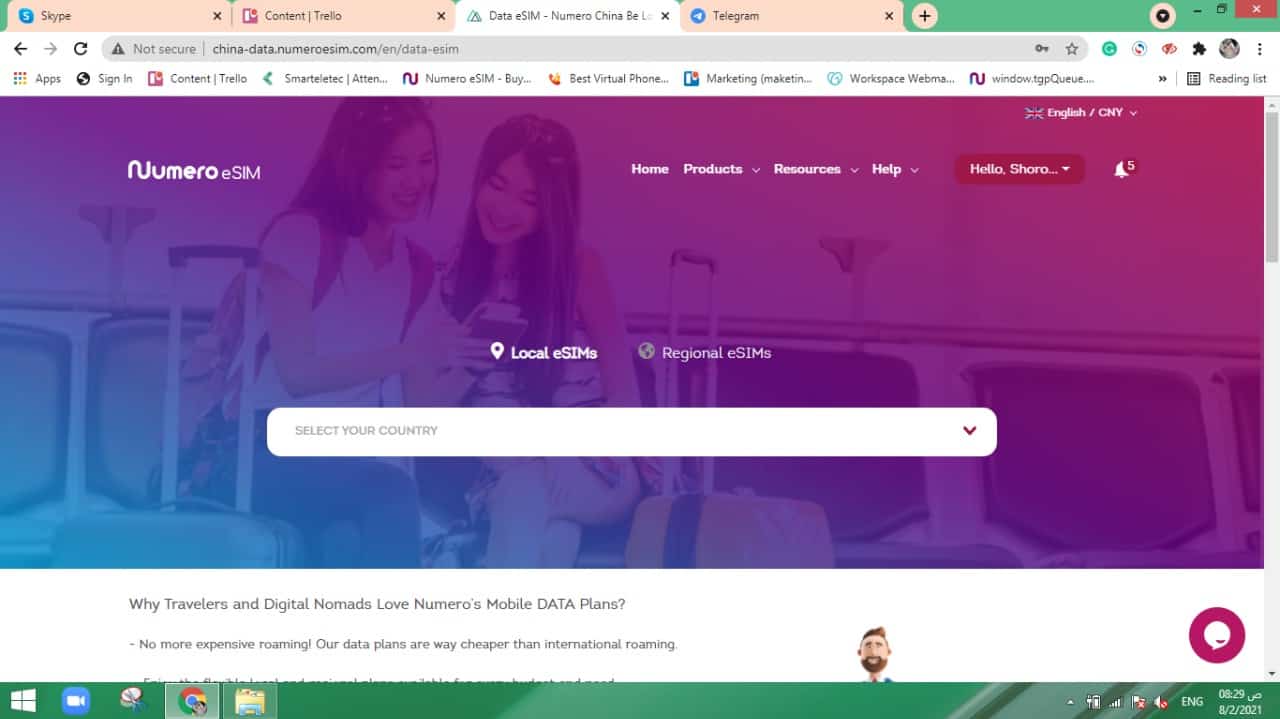
(5) Pick the appropriate plan
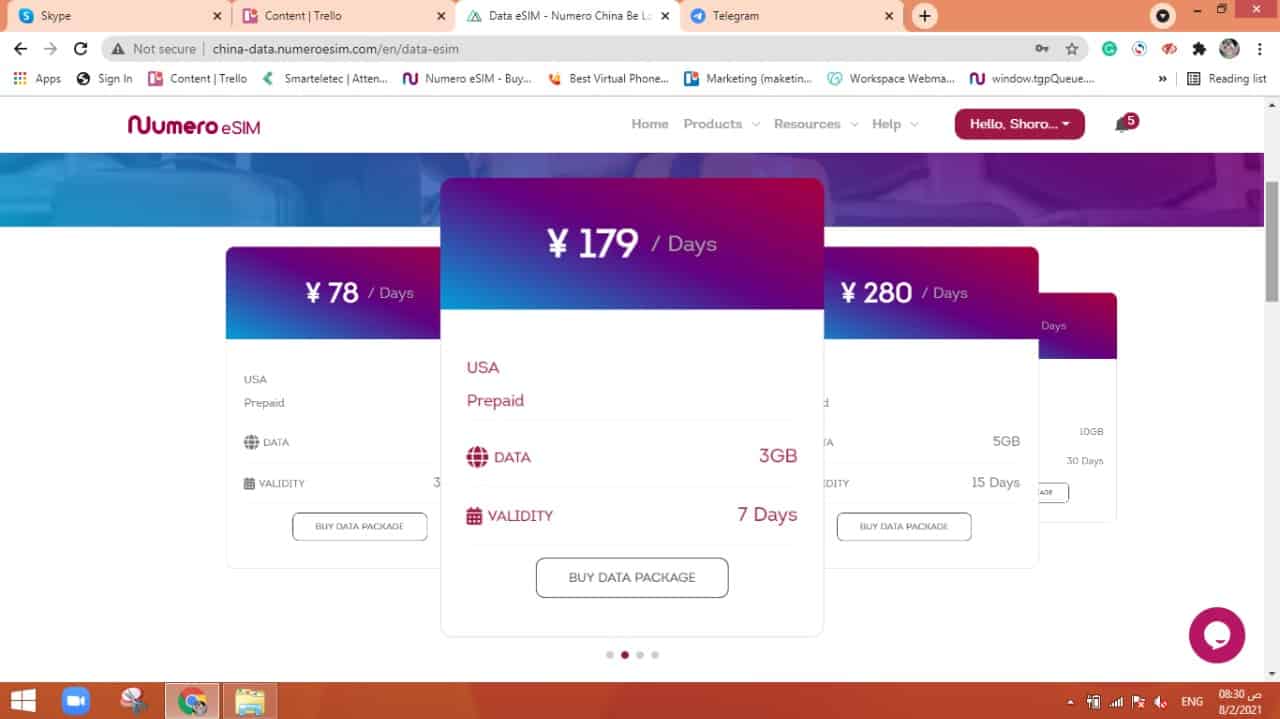
(6) Tap “Buy Data Package”
(7) Browse the plan’s detials
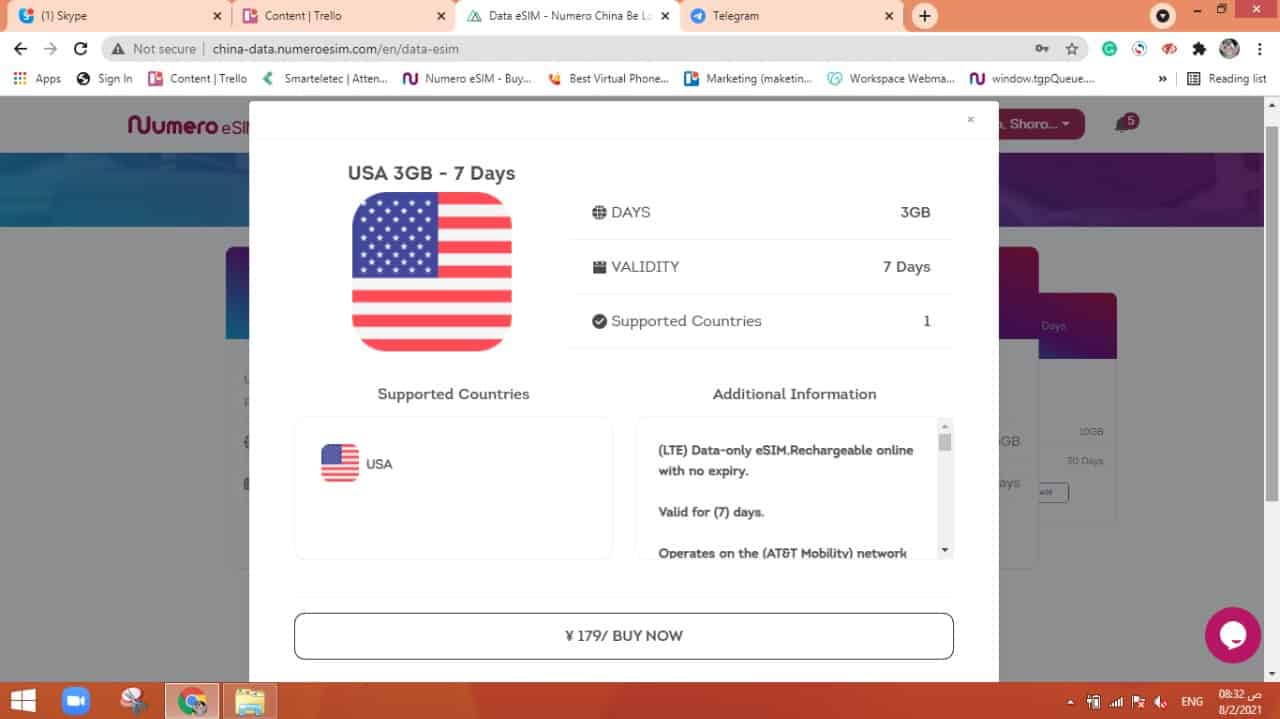
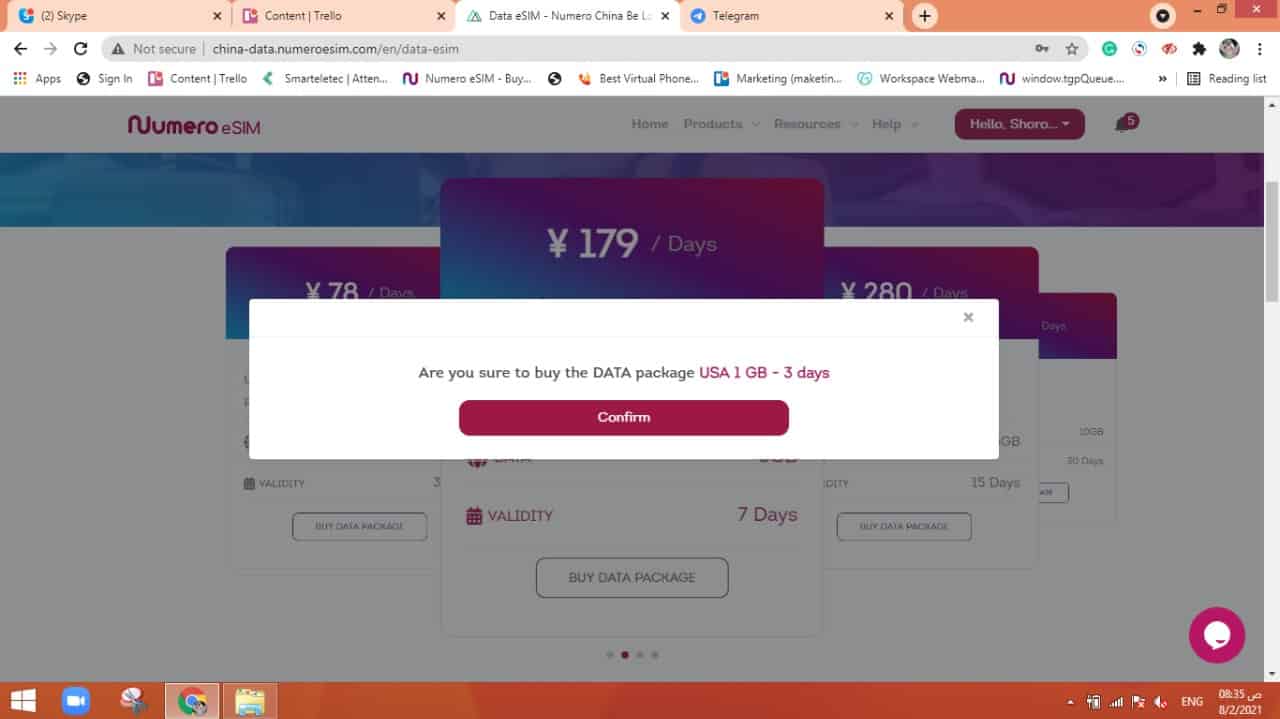
(8) Click on “Buy Now”
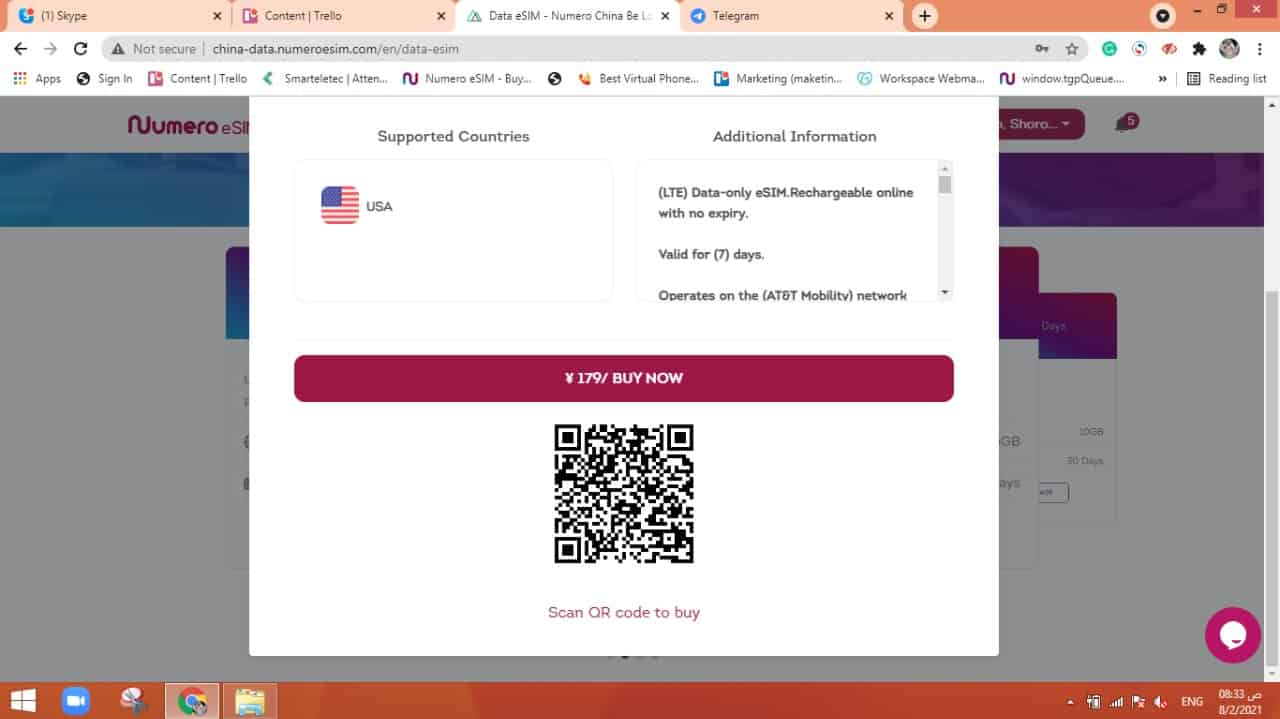
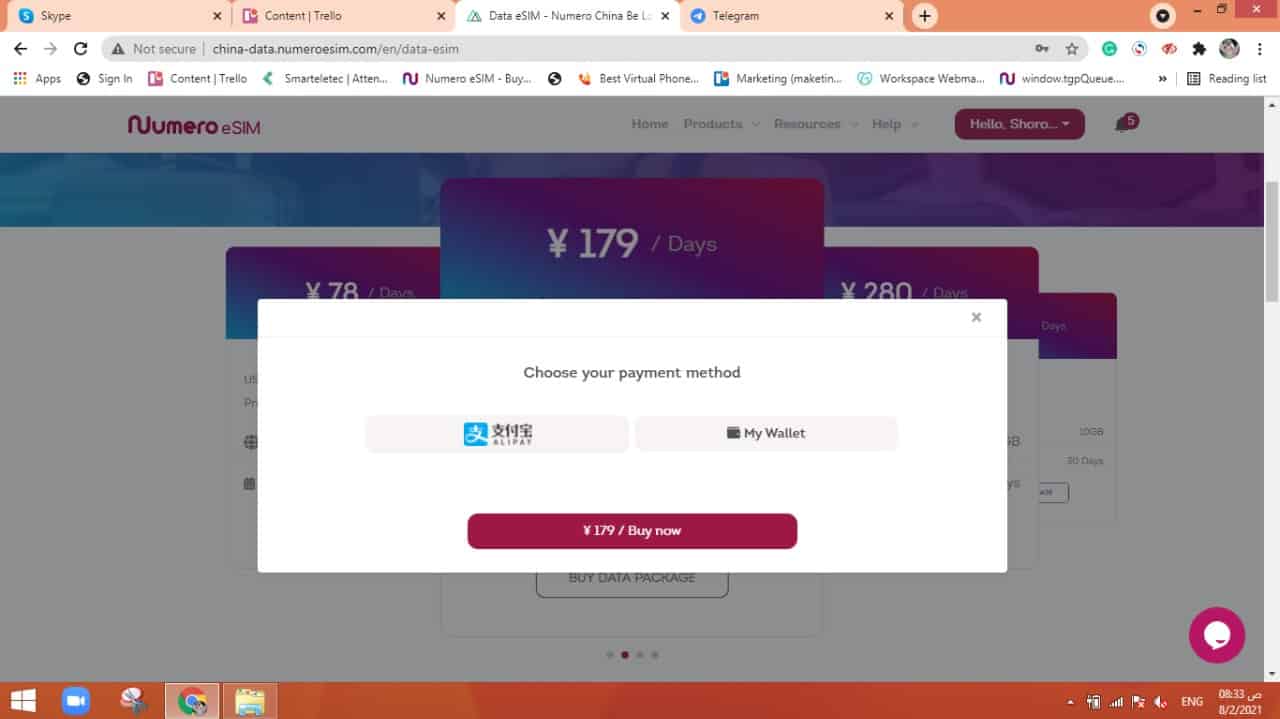
(9) Choose the payment method
Whether using “Alipay” or ” My wallet”:
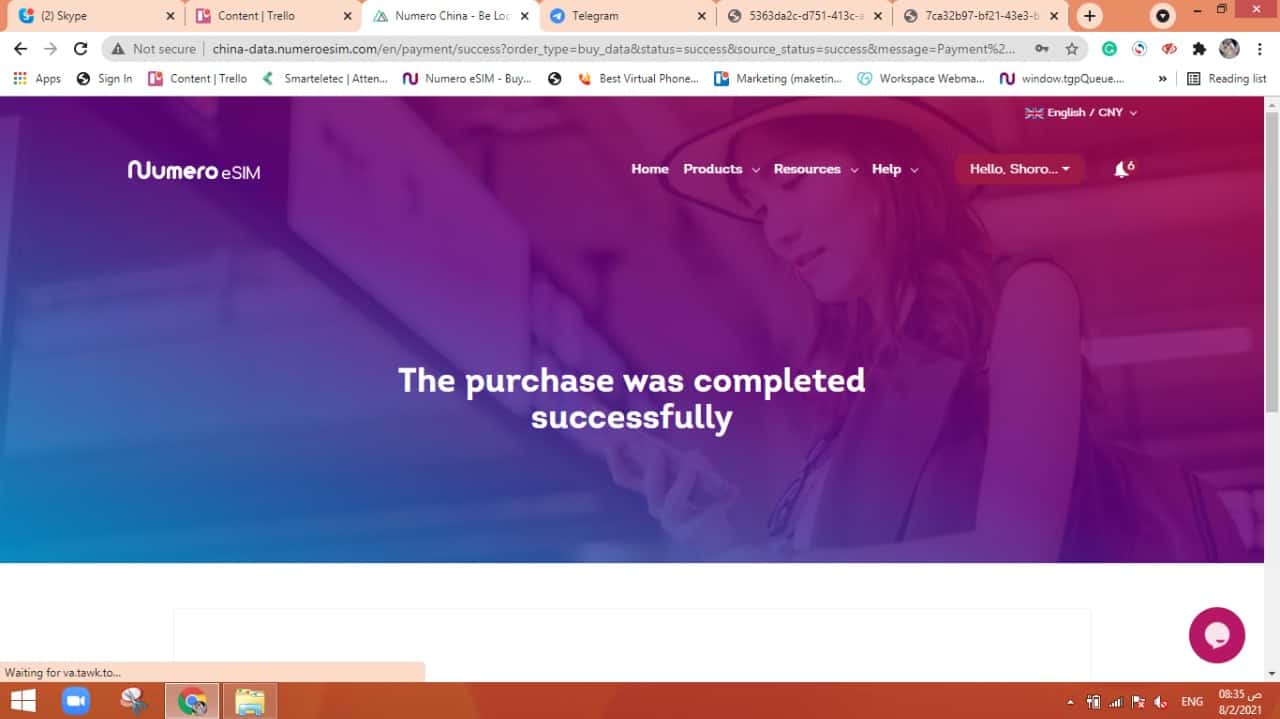
In case you have enough credits in your wallet, the process will continue.
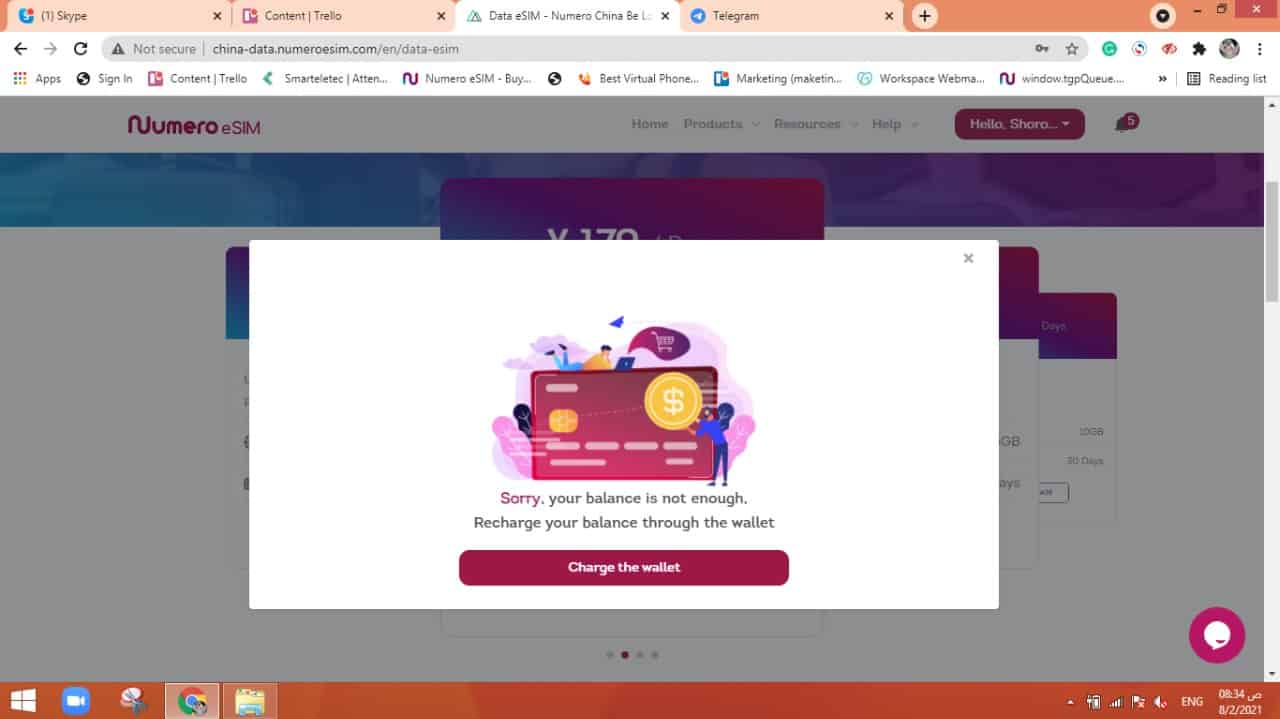
Note:
If you don’t have enough credits in your wallet, a pop-up will be shown to alert you.
(10) Check the plan in your “Purchases”
Go to your account > “My Purchases” to see your active and not active plans.

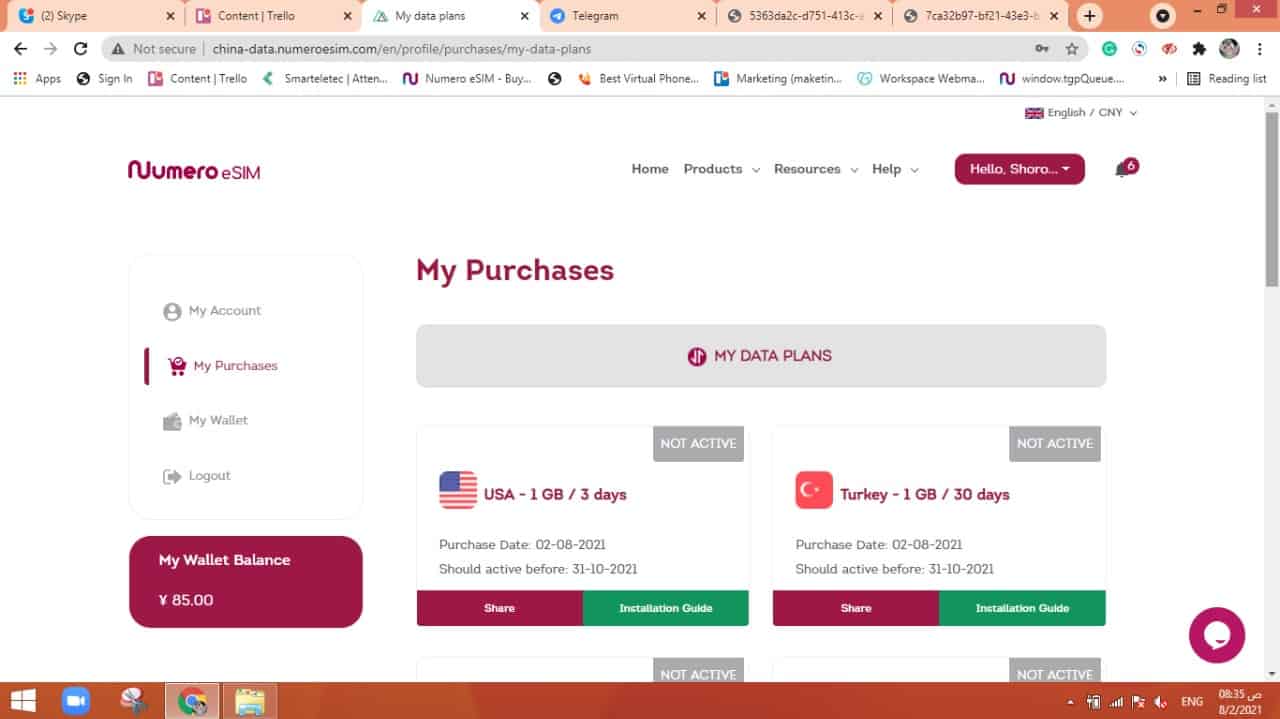
Now you can enjoy the eSIM data plan in China