


Cash App only officially supports the US and UK, but you can still activate it elsewhere: use a VPN to appear in a supported country and a US virtual number from an app like Numero eSIM to verify the account. Expect some feature limits once it is set up.
Main Features of Cash App
Cash App, developed by Square, Inc., is a popular mobile banking application mainly used in the United States and the United Kingdom. It offers various features such as sending and receiving money, spending with a Cash App card, and investing in stocks and cryptocurrency.
How to Activate Cash App in Non-Supported Countries
To activate Cash App in non-supported countries, you need to show that you’re in a supported country, and you need to be aware that you will have limitations on your account. Follow these steps:
1. Use a VPN to Access the App
To download and use Cash App, you’ll need to mimic a location within the United States or the United Kingdom:
- Download a reliable VPN service.
- Set your location to a city within the United States or the United Kingdom.
2. Download and Install Cash App
Once your VPN is active:
- Visit the official Cash App website (https://cash.app/).
- Download the app directly from the website.
3. Create an Account
With Cash App installed:
- Open the app and sign up using your phone number.
- Since you need a US or UK number, get a virtual number from Numero eSIM app from the US or UK.
How to Get a Virtual Number from Numero eSIM App
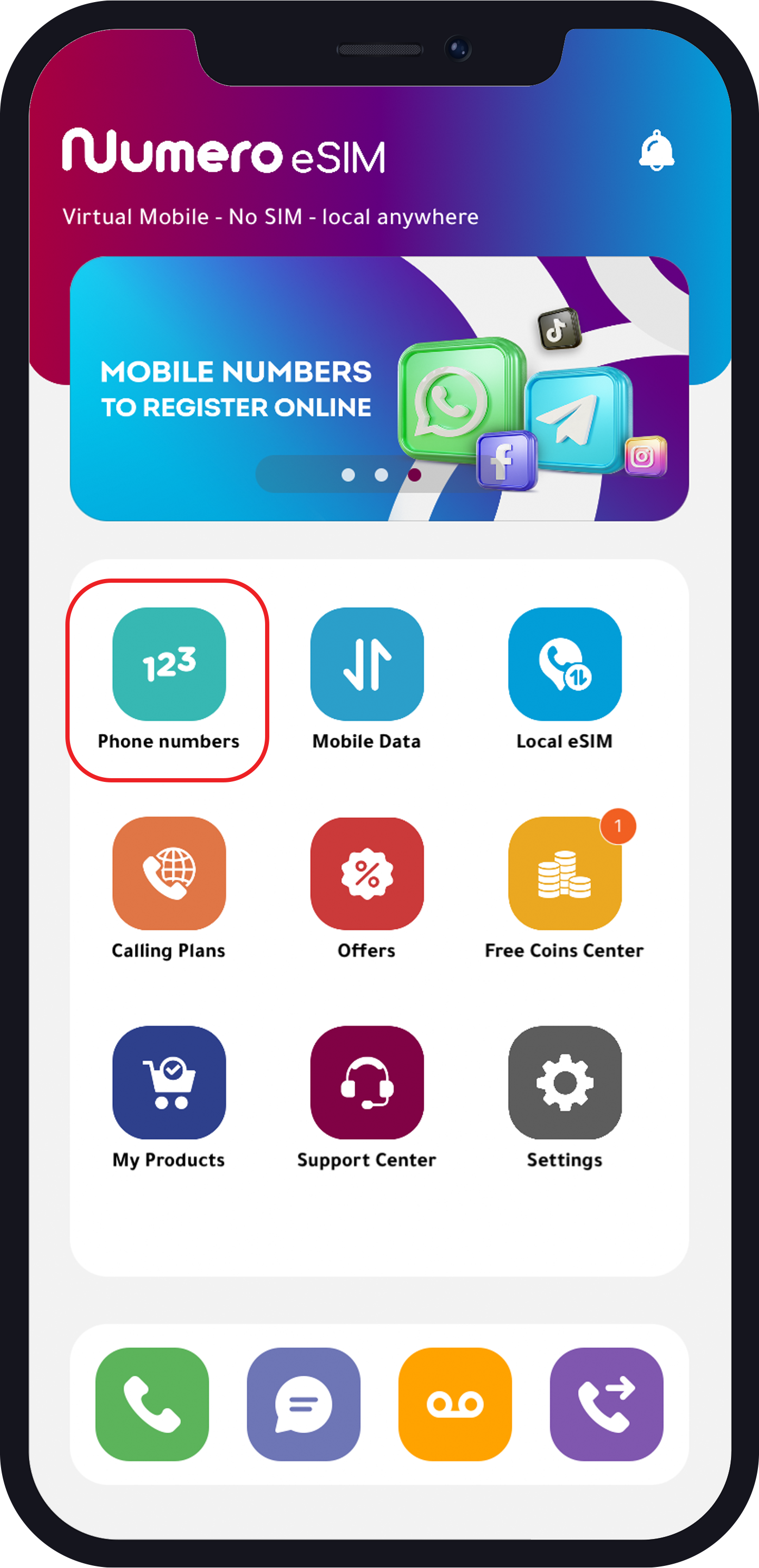
- Download Numero app.

- Create an account using your real number.
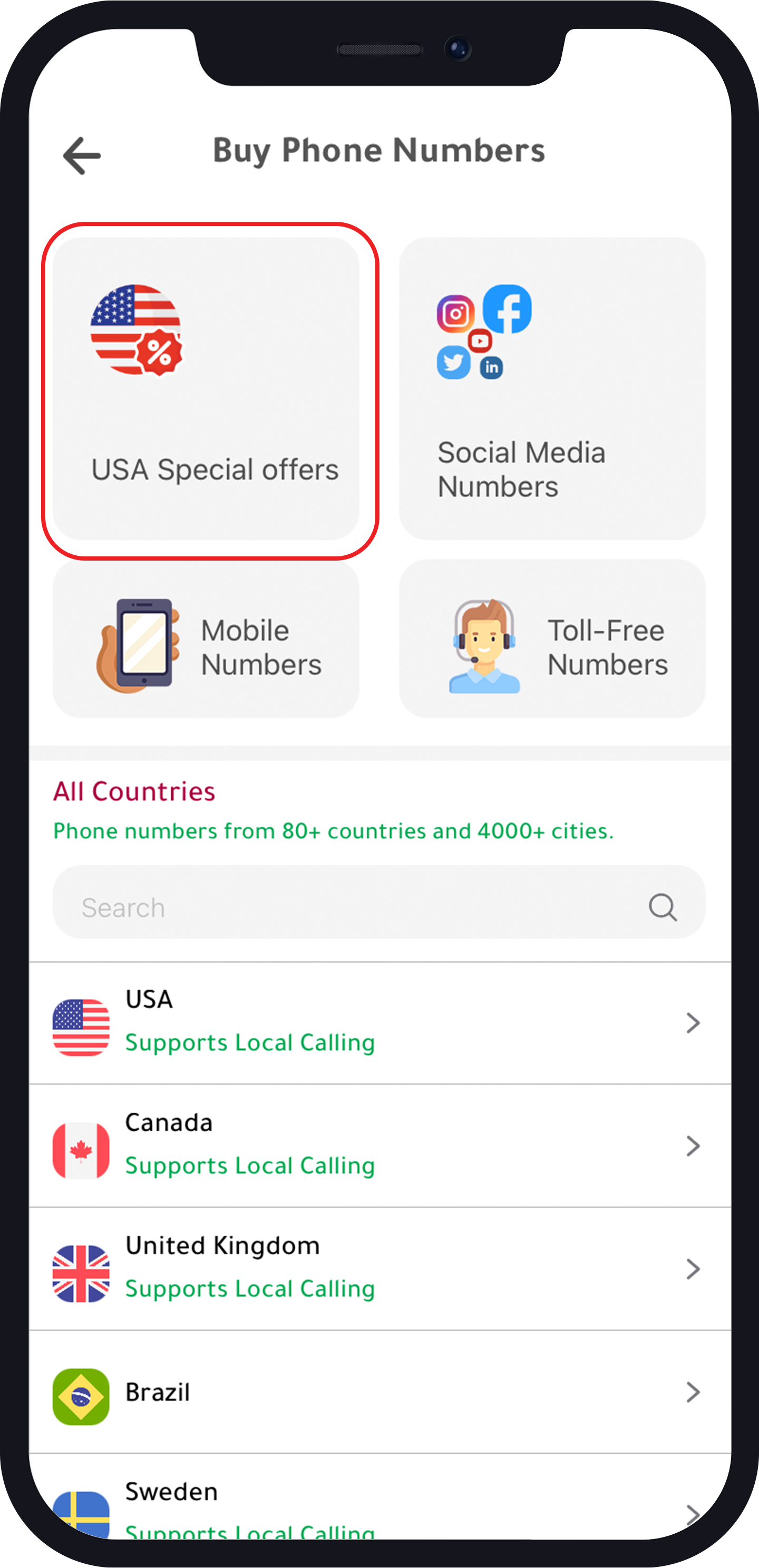
- Tap “Phone Numbers“.
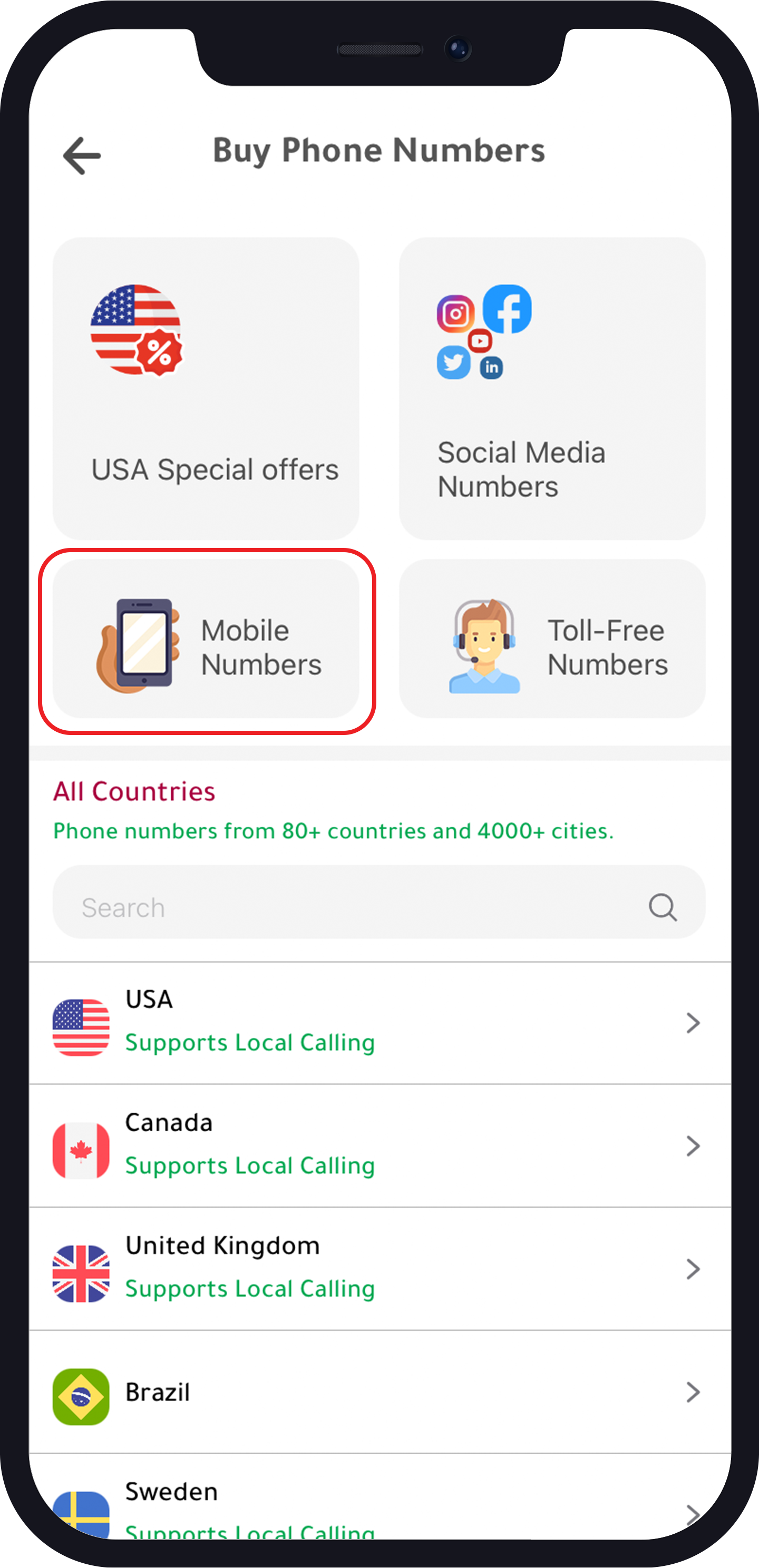
- Choose “USA Special Offers” for US numbers with a 70% discount on the annual plan or “Mobile Numbers” to get a US or UK mobile number.
- Choose your number and continue to purchase it.
4. Verify Your Account
Unverified accounts have limits. And here is what you need to fully use Cash App:
- Provide your full name, date of birth, and address.
- Link a real US- or UK-based debit card to lift transaction limits.
- Provide a clear image of your driver’s licence or international passport.
- Use the virtual phone number from Numero eSIM app.
- Social Security Number may be required during verification.
If verification is found to be challenging, seek assistance from a trusted contact in the US or the UK to help you using their data to create the account.
5. Use Bitcoin for Withdrawals for unverified accounts
Since non-US and non-UK residents cannot link local bank cards, choose Bitcoin withdrawal as an alternative. Cash App allows Bitcoin withdrawals up to $2,000 per day and $5,000 per week.
While Cash App is not officially supported in many countries, following these steps can help you set up and use the app.
FAQ on Cash App Transaction Limits and Withdrawals
What are the transaction limits for unverified Cash App accounts?
Initial unverified accounts are limited to:
- Sending: Up to $250 within a 7-day period.
- Receiving: Up to $500 within a 7-day period.
How can I increase my Cash App transaction limits?
To increase your transaction limits, you need to verify your account by providing your full name, date of birth, address, a clear photo ID (driver’s licence or international passport), and a real US- or UK-based debit card. You may also need a Social Security Number (SSN).
What are the withdrawal options for Cash App in non-supported regions?
For non-supported regions, withdrawing funds involves:
- Bitcoin Withdrawal: Allows withdrawals up to $2,000 per day and $5,000 per week.
- US or UK-Based Card Cashout: Higher limits if using a US- or UK-based card, up to $25,000 per week.