Step-by-step tutorial on how to create a US Apple ID using a virtual US phone number from Numero. Gain access to exclusive US apps and content with our easy-to-follow tutorial. Start enjoying the benefits of a US Apple ID today!
Why Would I Need A US Apple ID?
Why are so many people searching for how to create a US Apple ID account? Let’s explore the reasons behind their interest in obtaining a US Apple ID:
- Access to US App Store: The App Store offers different apps and content in different countries. If you want to access apps or content that are only available in the US, you would need a US Apple ID.
- Regional Restrictions: Some apps, services, or features may be restricted to specific regions or countries. By creating a US Apple ID, you can bypass these restrictions and access content or features that are otherwise unavailable in your country.
- Purchase US-Only Apps or Media: Certain apps, movies, music, or books may be exclusive to the US App Store. With a US Apple ID, you can buy and download these items directly from the US store.
- Testing or Development: If you are a developer or tester, you may need a US Apple ID to access certain beta versions of apps, software updates, or developer tools that are only available in the US.
- Gift Cards or Credit: If you have received a US-specific Apple Store gift card or have US App Store credits, you will need a US Apple ID to redeem and use them. With your US Apple ID, you can now redeem the US-specific Apple Store gift card or use the US App Store credits. These funds will be associated with your US Apple ID and can be used to purchase apps, games, movies, music, books, or other digital content available in the US App Store.
How To Create A US Apple ID From Abroad
To create a US Apple ID if you don’t live in the US, you will need the following:
- Apple Device: You will need an iPhone, iPad, or Mac to create an Apple ID.
- Virtual US Address: Since you don’t live in the US, you’ll require a virtual US address. Look for reputable virtual address providers that offer US addresses for creating Apple IDs.
- US Phone Number: A US phone number is required to verify your Apple ID. You can acquire a virtual US phone number from Numero.
- Email Address: You will need a valid email address to associate with your US Apple ID. While it doesn’t necessarily need to be a US-specific email address, it’s recommended to use a reliable and reachable email service.
By fulfilling these requirements, you should be able to create a US Apple ID successfully.
How to get a US number to create a US Apple ID account
- Download Numero app


- Create an account with your real number
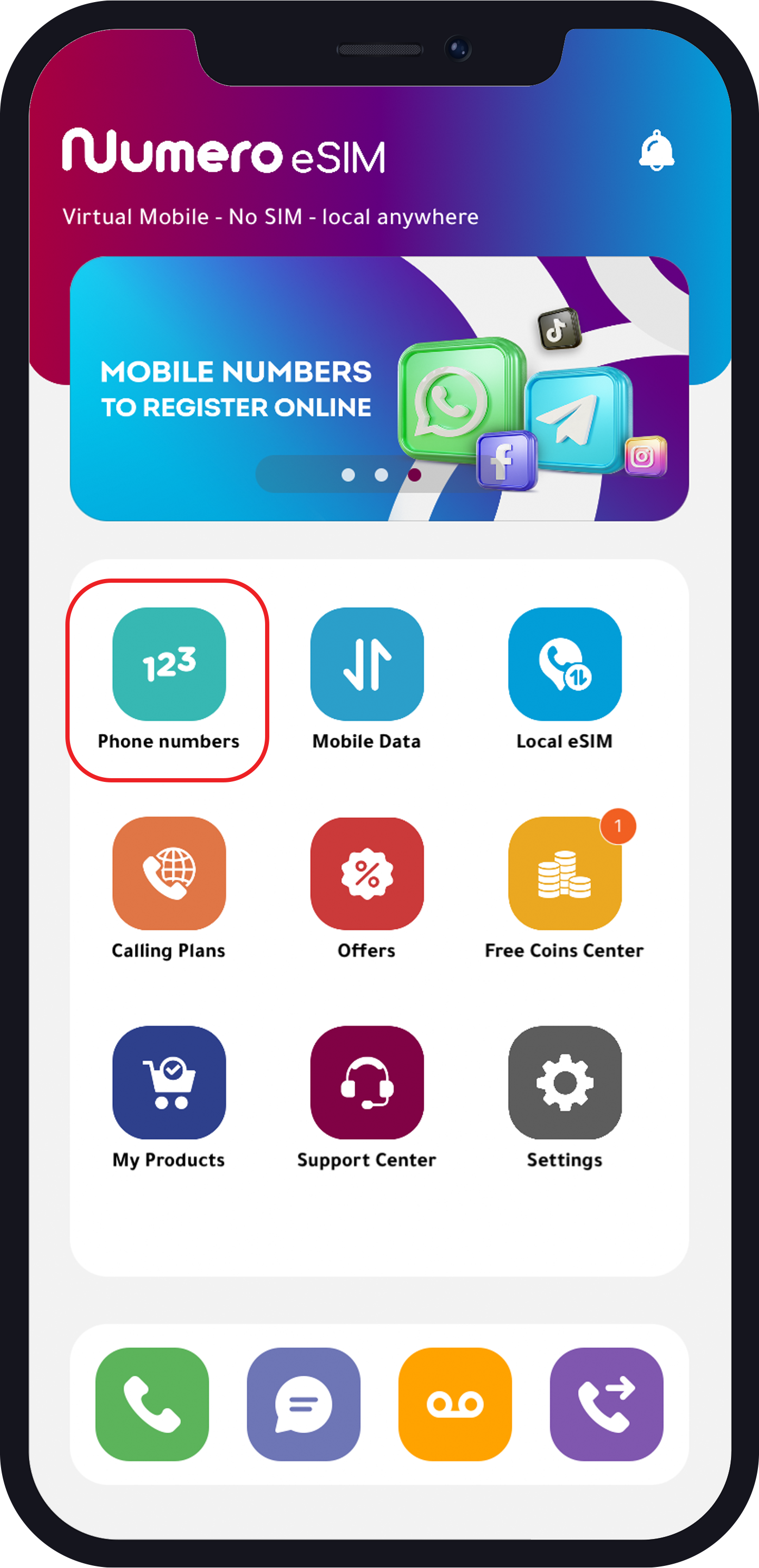
- From the homepage, tap “Phone Numbers”
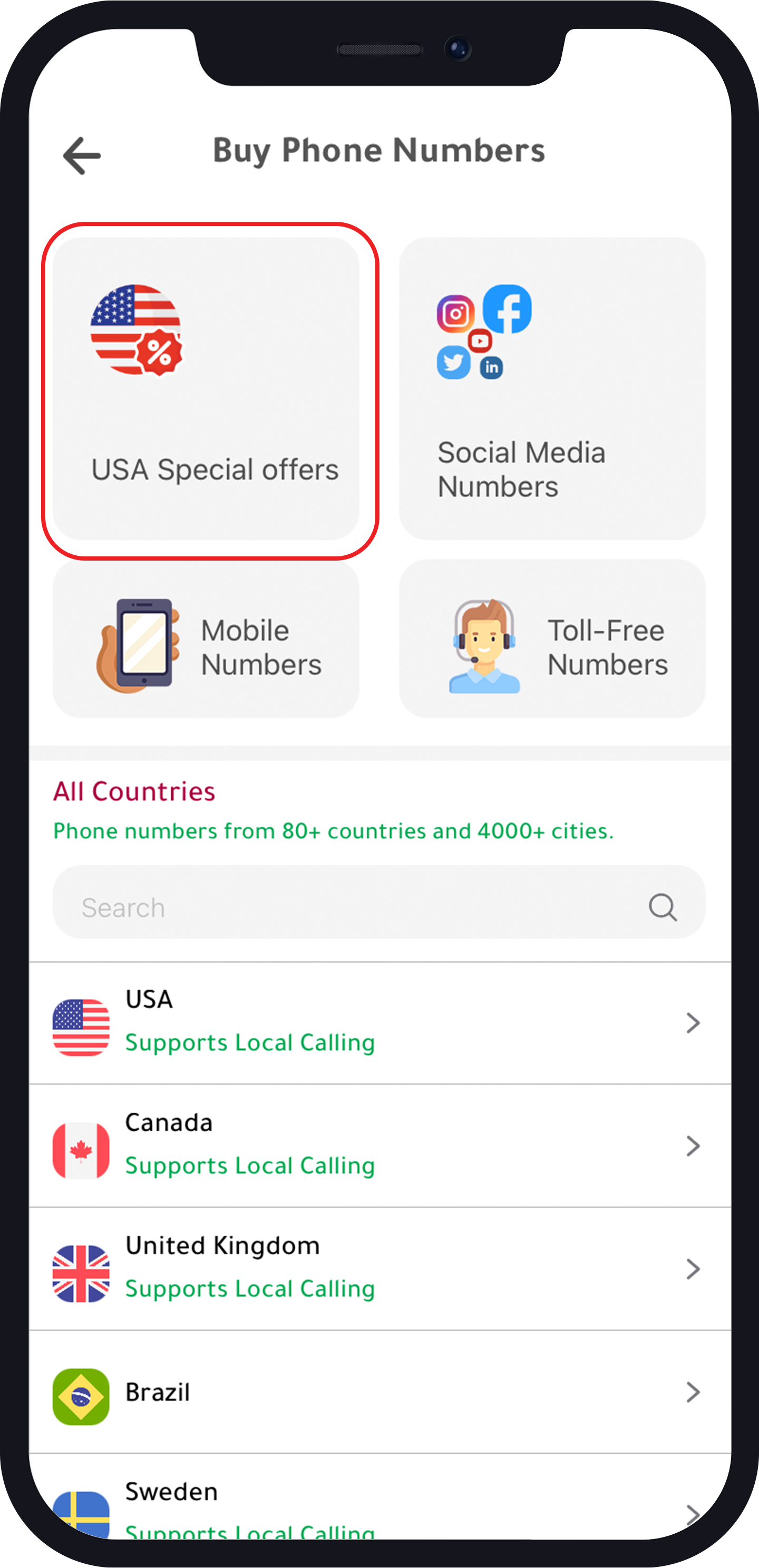
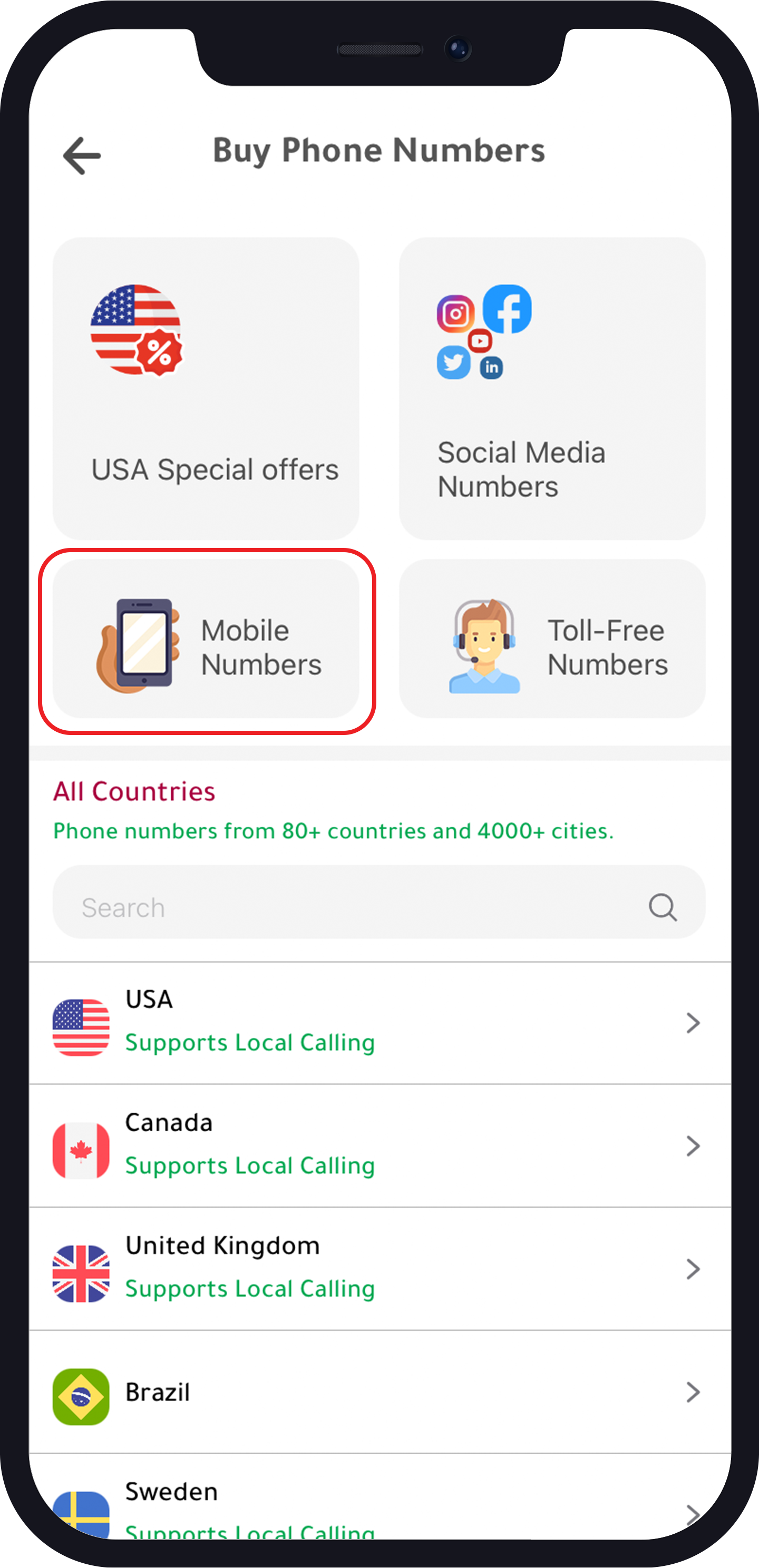
- Tap “USA Special Offers” or “Mobile Numbers”
For “USA Special Offers”
- Choose your number
- Choose yourr plan
- Buy the plan
Note: 70% discount on yearly subscription.
For “Mobile Numbers”
- Choose “USA”
- Choose your number
- Choose your plan
- Buy the plan
Now you have a US phone number that you can use to create an Apple ID account, WhatsApp, Telegram, and some other apps. These US numbers can also be used for calls and SMS. It also supports calling the US with local rates. Read this tutorial to know more about local calling plans from Numero.
How To Create A US Apple ID?
Now you have got all it takes to create a US number, and you can create your US Apple ID by following these steps:
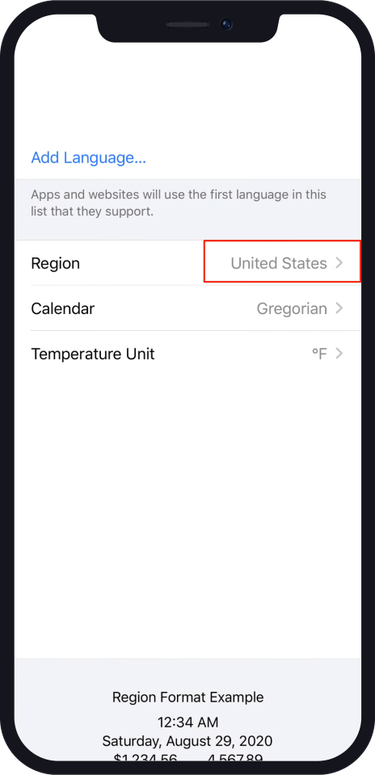
- First, you need to change the region to “United States” from the settings.
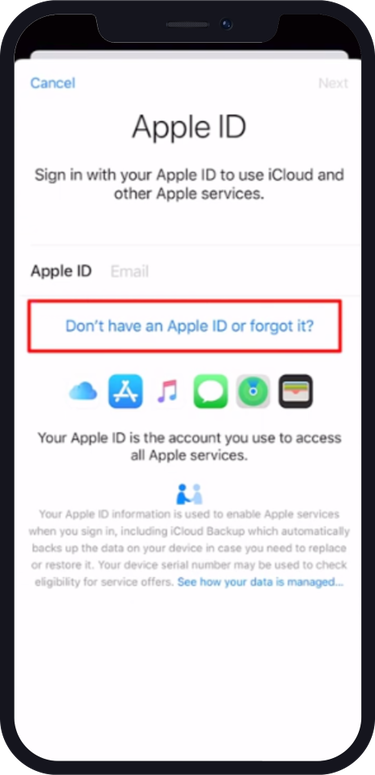
2. Now, back to “Settings”, and tap the top bar as illustrated in the image.Tap “Don’t have an Apple ID or forgot it”
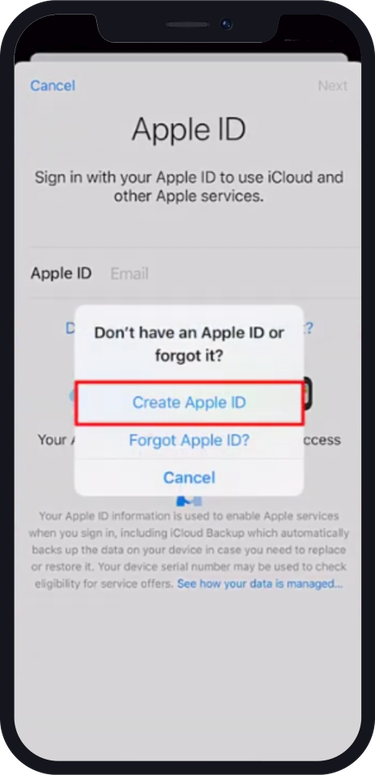
3. Choose “Create Apple ID” from the available options.
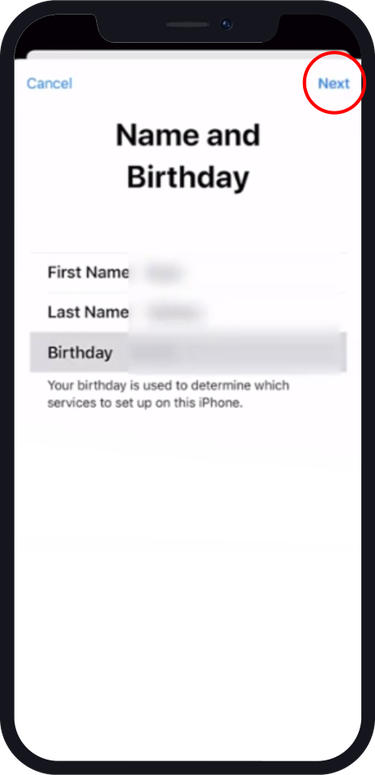
4. Enter the required information and tap “Next”
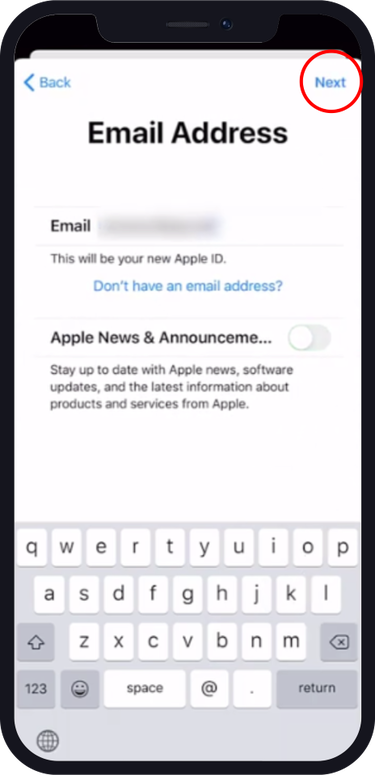
5. Enter your actual email address as you need it for verification later on.
6. Type and verify your password.
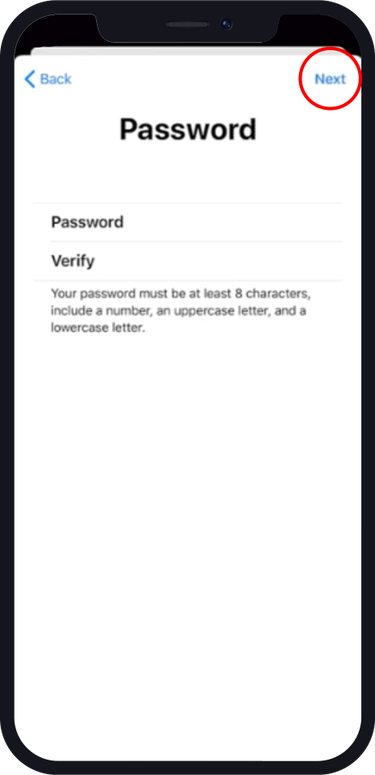
7. Tap “Use a Different Number”
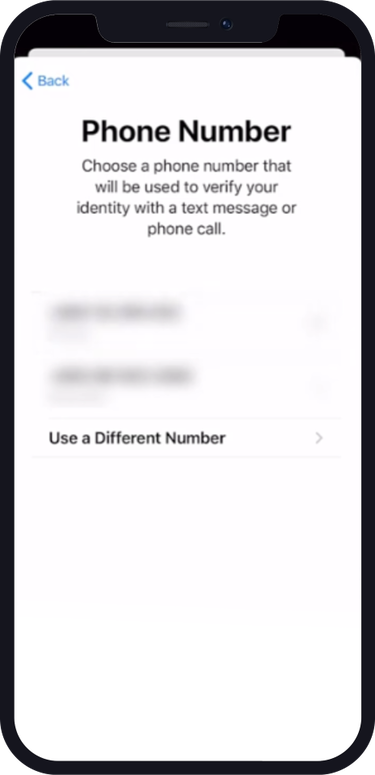
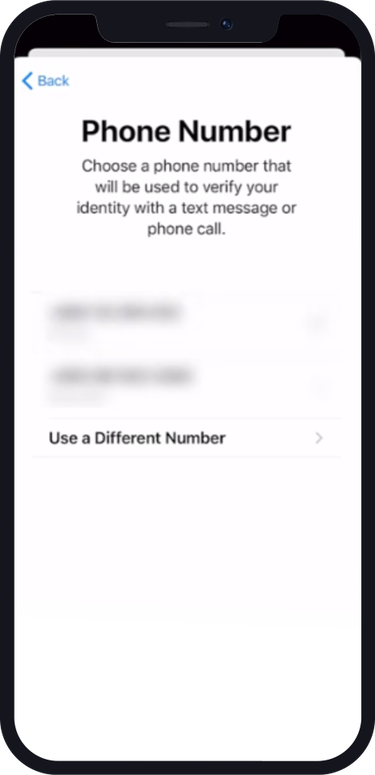
8. Enter the US number you obtained from Numero.
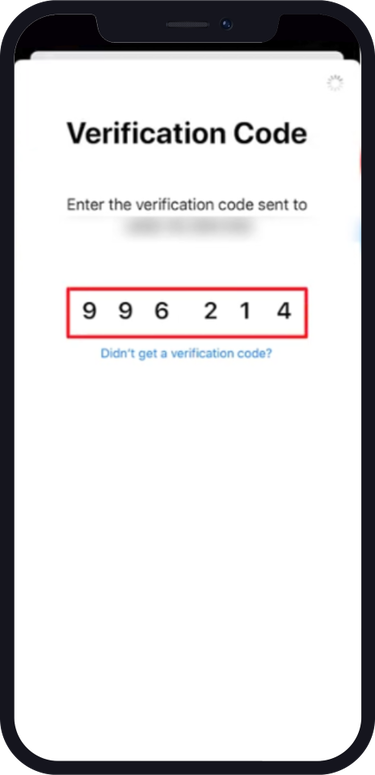
9. Enter the verification code received at Numero.
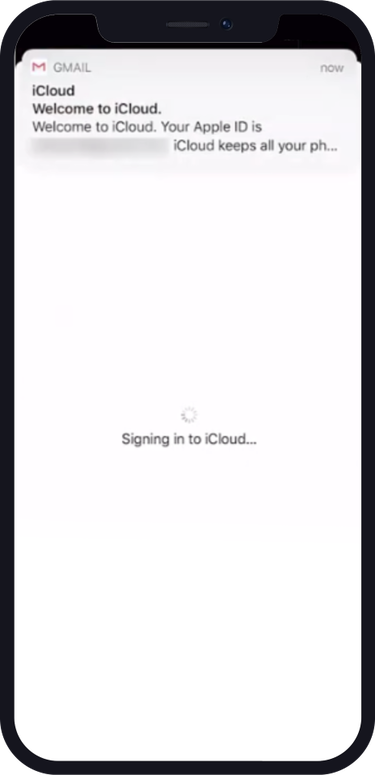
10. Tap “Agree” for the terms and conditions, and wait until the signing into iCloud finishes.
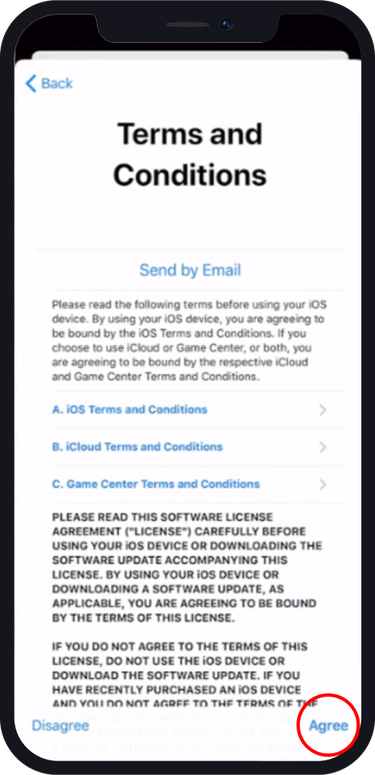
11. Enter your iPhone passcode.
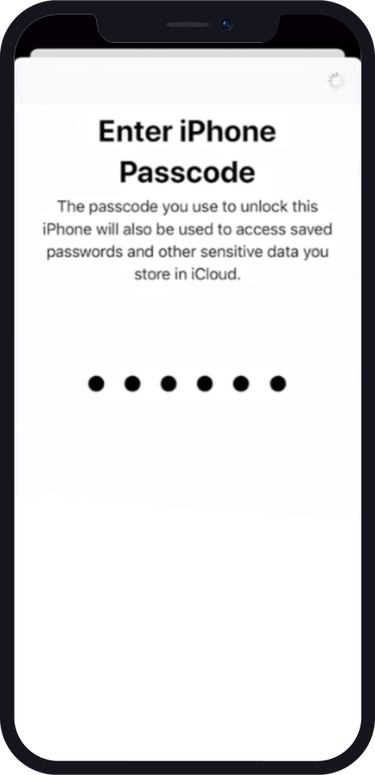
12. Choose to verify your email address
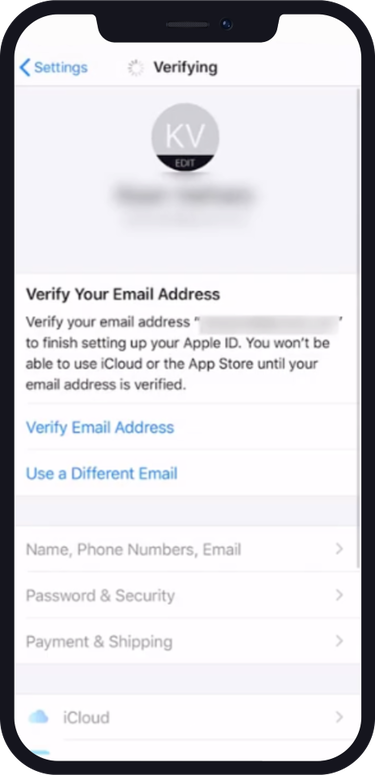
13. Enter the verification code from your email.
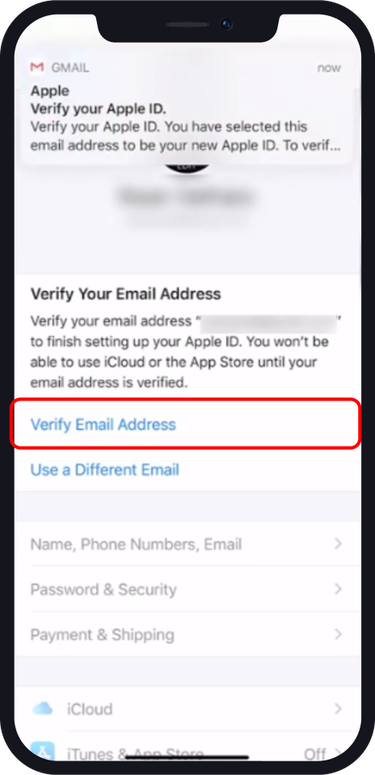
Now you need to sign in to your Apple ID
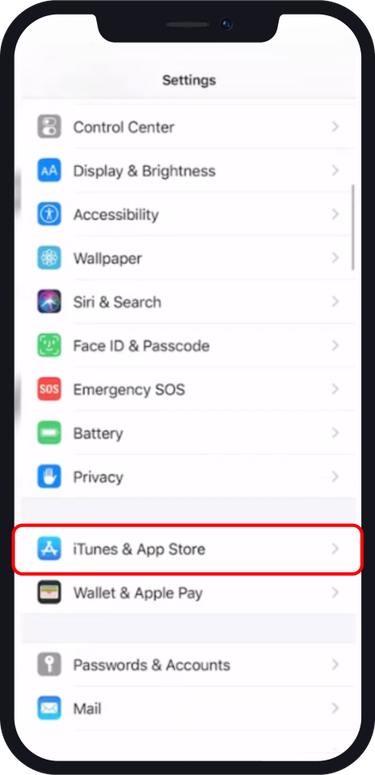
14. Tap “iTunes & App Store” from the settings.
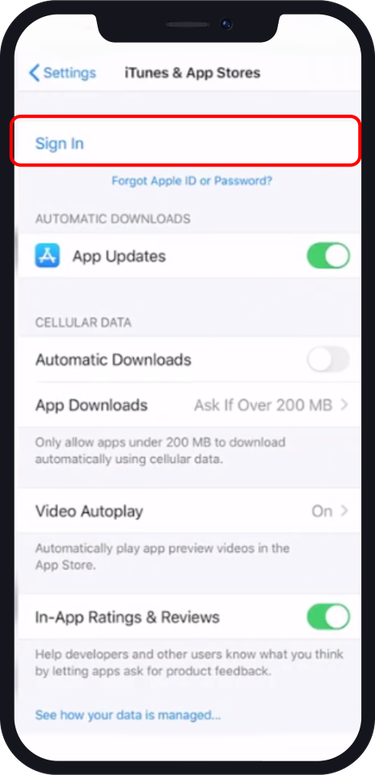
16. Tap “Sign In”
16. Enter your email and password.
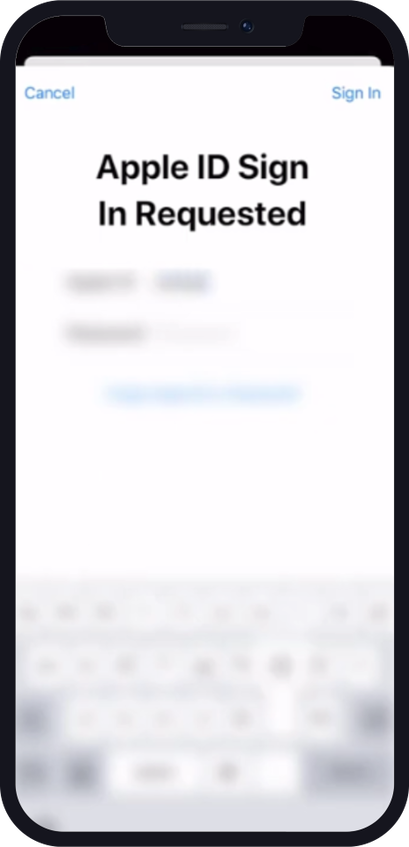
17. This message will appear, tap “Review”
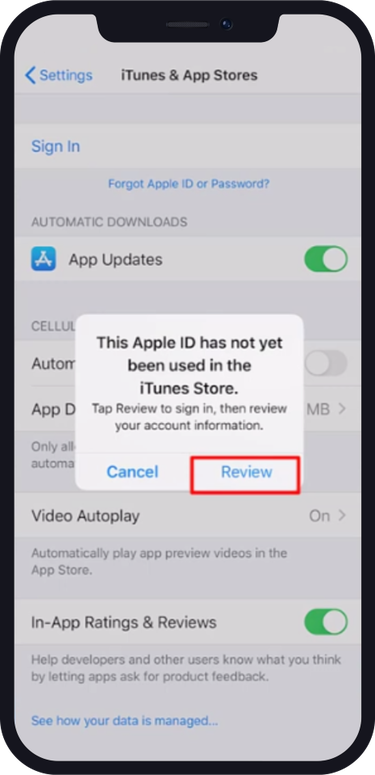
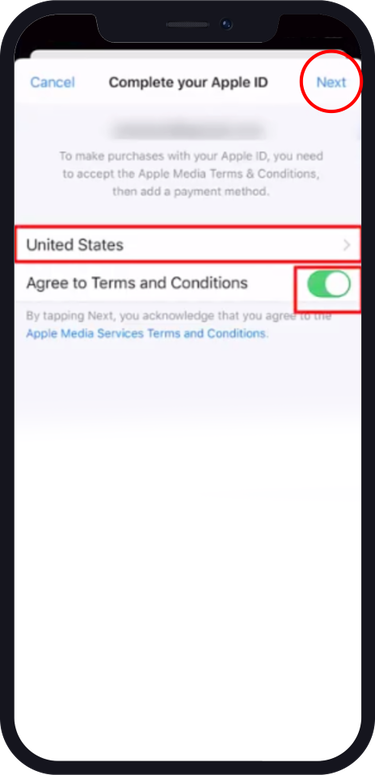
18. Make sure that the country is the US. Agree on the terms and conditions, and tap “Next”
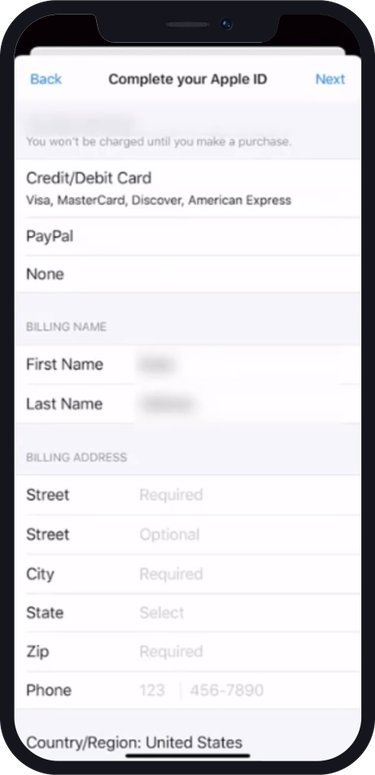
19. Choose “None” as a payment method and fill in the billing information, and make sure to enter the same number from Numero.
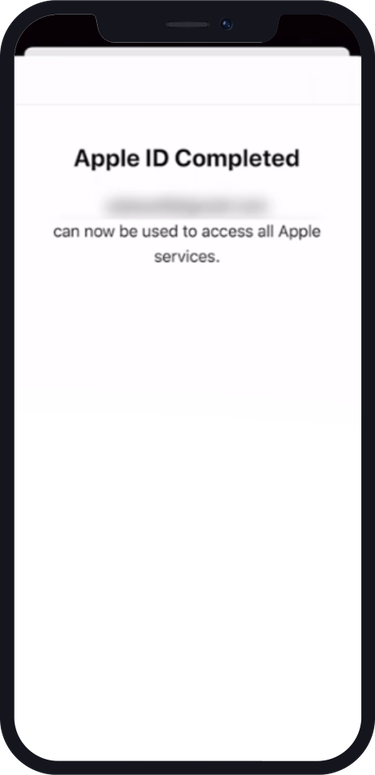
Now you know to create a US Apple ID account, and your account is ready to use and access the US products and apps.
In conclusion, creating a US Apple ID opens up a world of possibilities for accessing exclusive apps, content, and deals available in the US App Store. By following the steps outlined in this tutorial and using US virtual numbers from Numero, you can now confidently create your own US Apple ID, regardless of your location.