


Many people in the US frequently need to call Mexico, whether for personal or other reasons. However, international calls can be quite expensive. But don’t worry—we’ve found a solution for you! Numero offers virtual phone numbers from Mexico, enabling you to make calls to Mexico at local rates, no matter where you are in the world. Additionally, you can get a virtual US number from Numero and use it to call Mexico at rates cheaper than standard international calls.
In this tutorial, we will guide you through the steps to call Mexico from the US using Numero’s services. We’ll start by explaining the Mexican phone number format and then provide detailed instructions on how to use Numero to make your calls more affordable.
Mexican Phone Number Format
Before making a call, it’s essential to understand the Mexican phone number format. Mexican phone numbers typically follow this structure:
- Country code: +52
- Area code: 2 or 3 digits
- Local number: 7 or 8 digits
An example of a Mexican phone number would be +52 55 1234 5678.
How to Call Mexico from the US Using Numero
To call Mexico from US using Numero eSIM app, you have two options:
Option 1: Get a Virtual Phone Number for Mexico
- Download Numero eSIM App and Create an Account
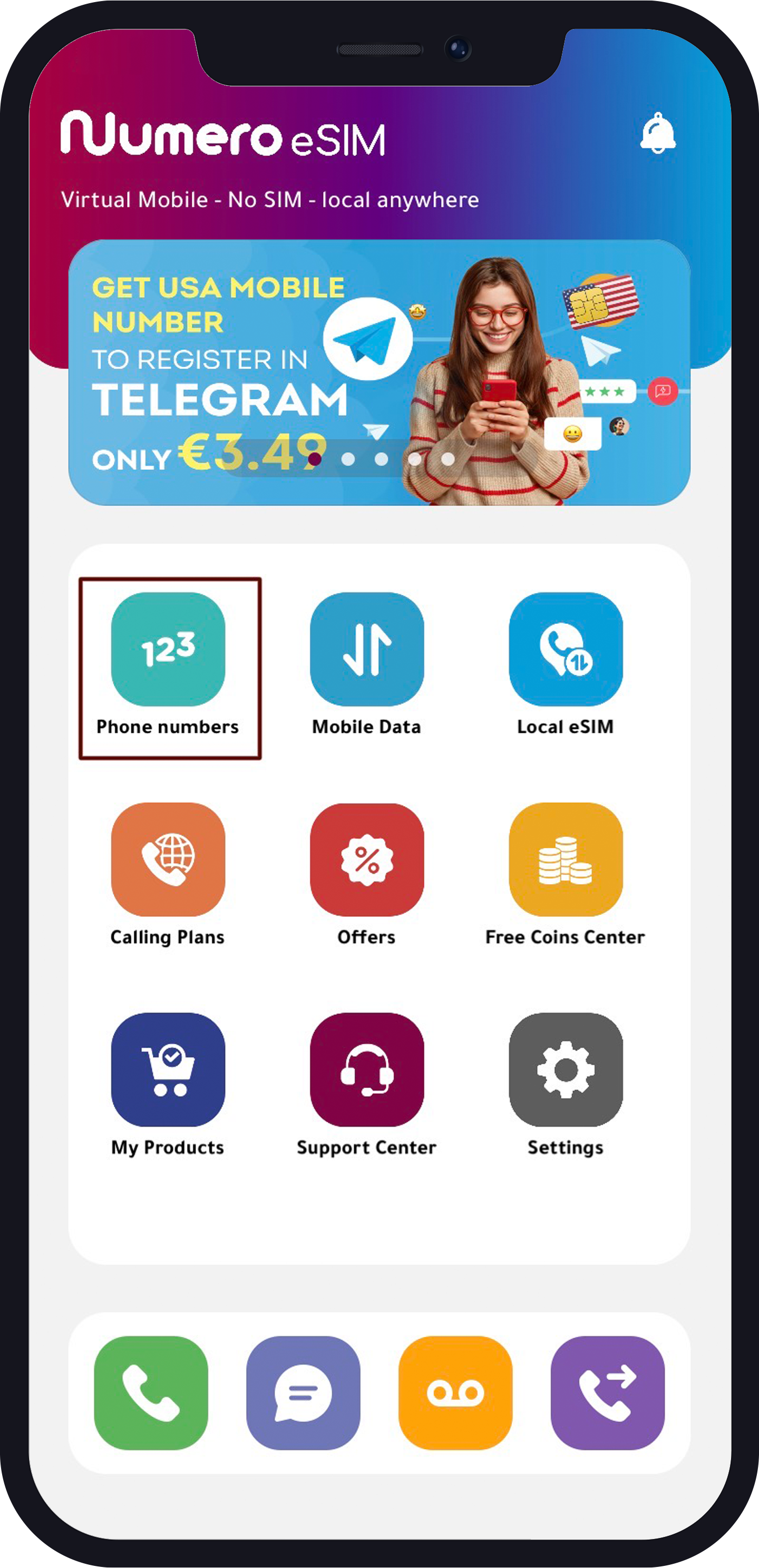
- Tap “Phone Numbers”
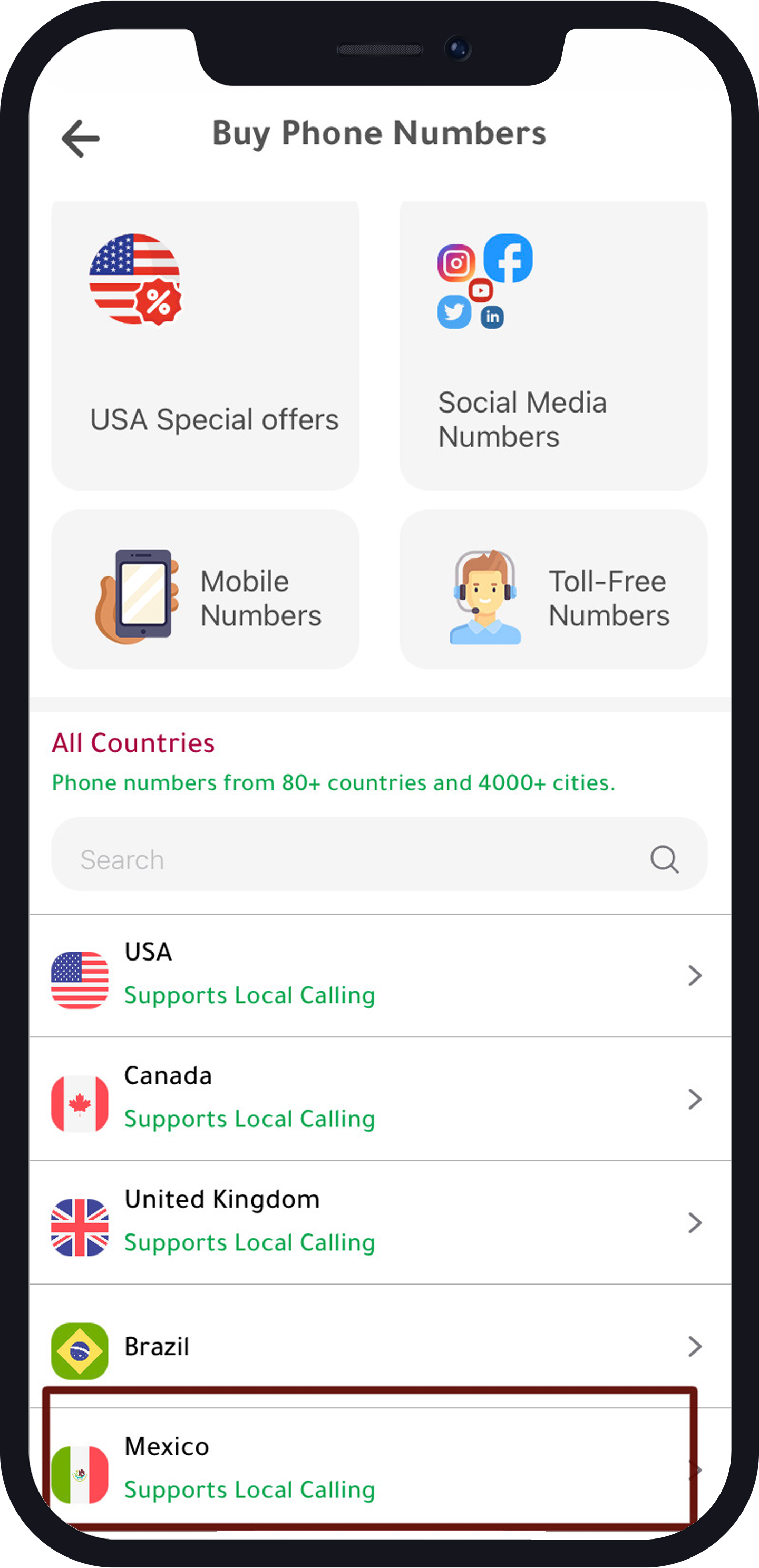
- In the list of available countries, find and select Mexico.
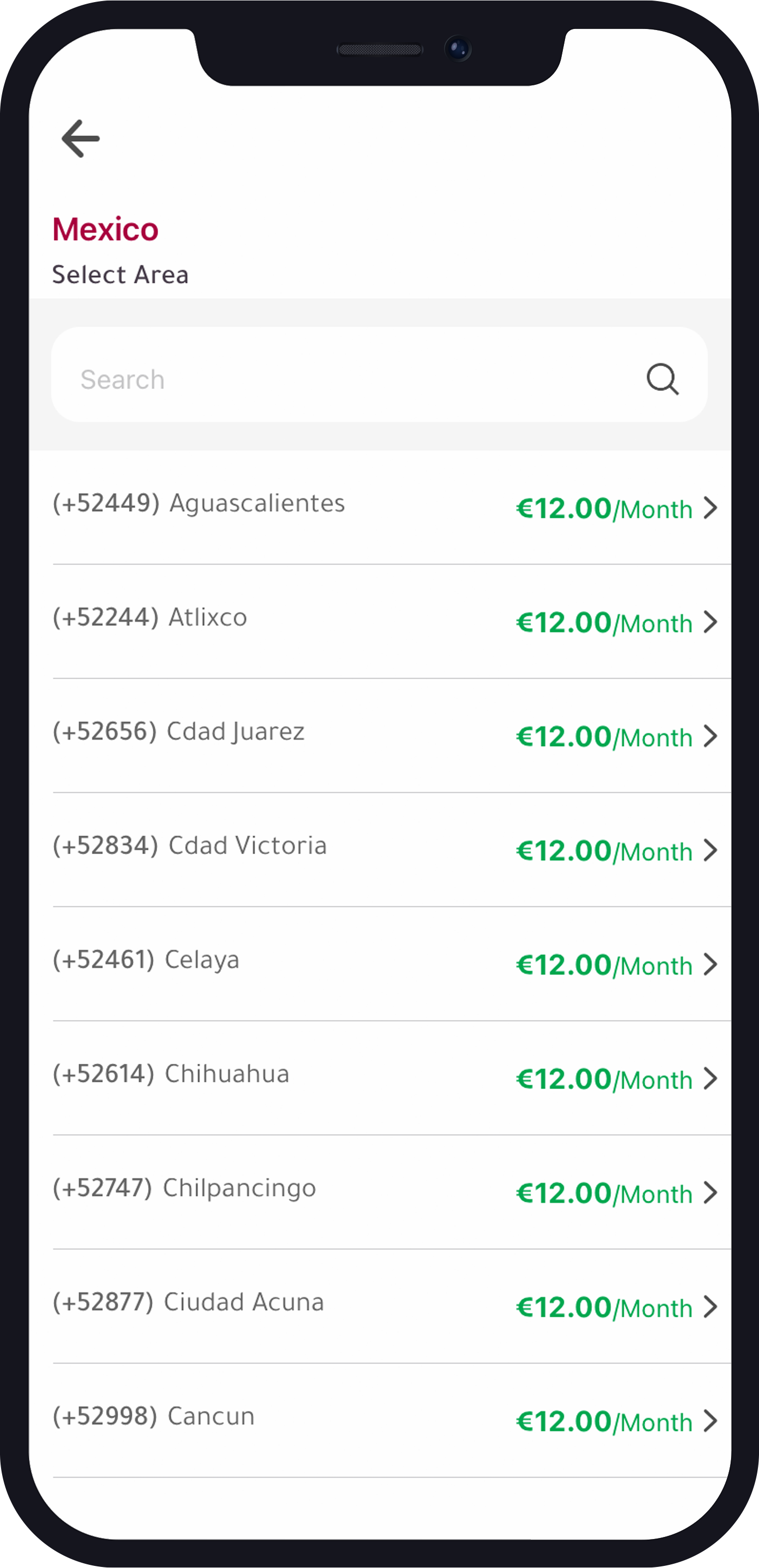
- Choose the Area and the Number
- Choose a phone number from the available options.
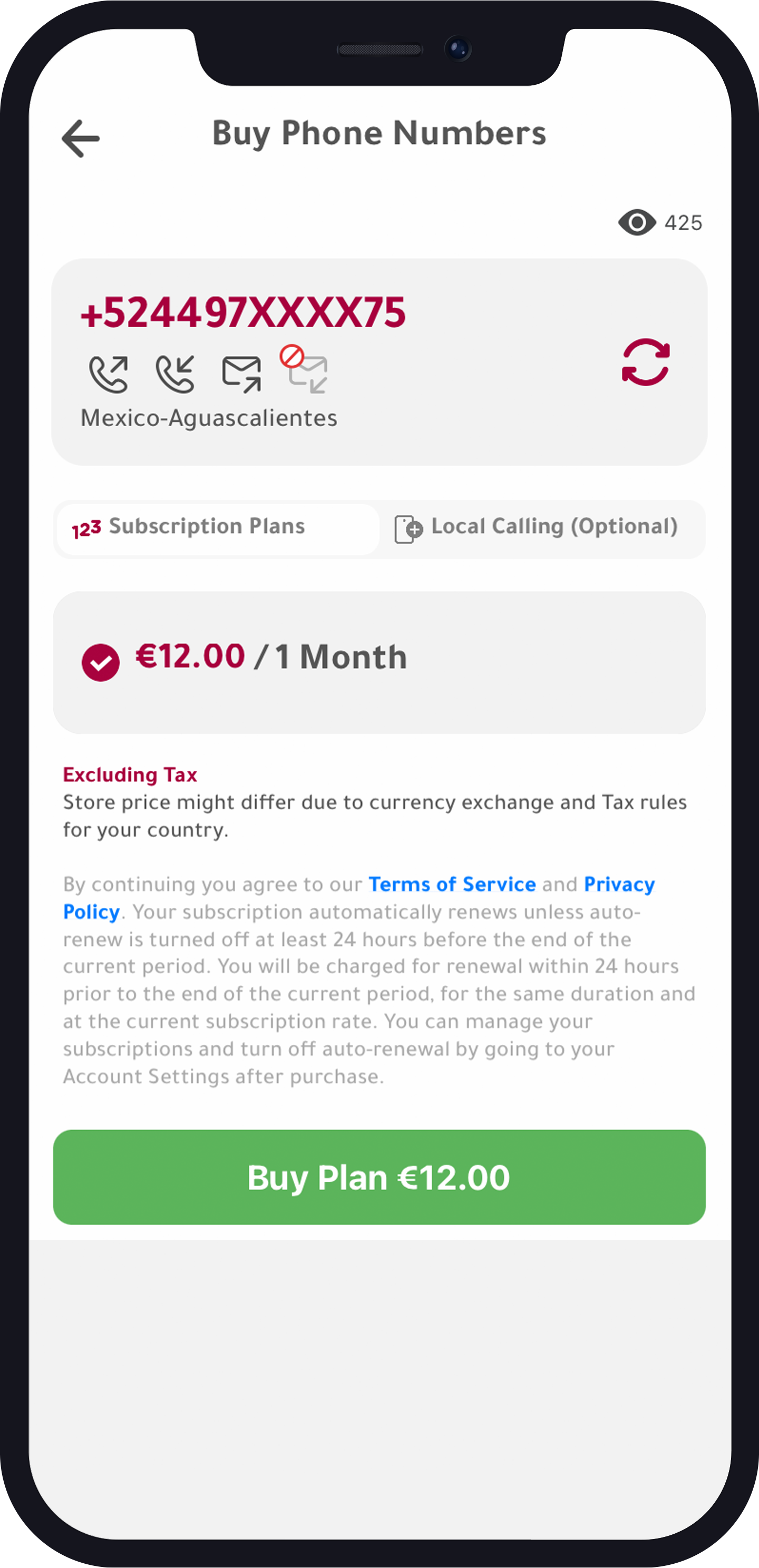
Add Local Calling Minutes (Optional)
You have the option to add local calling minutes to your subscription plan when you buy the number. Alternatively, you can buy local calling credits separately later, or even global calling credit.
How to Make the Call with Your Virtual Mexican Number
Now that you got the Mexican virtual phone number from Numero, all you have to do is follow these steps:
- Ensure you have calling credit: Make sure you have calling credit (either local calling credit with the number, or global/local calling credit bought separately).
- Go to the dial page: Tap the dial icon and enter the Mexican phone number you want to call and press the dial button. That’s it!
Option 2: Get a Virtual US Number and Call Mexico
- Download Numero eSIM App and Create an Account
- Tap “Phone Numbers”
- Look for the US in the “Mobile Numbers” category.
- Choose the Number
- Choose your plan. Note that there is a 70% discount on annual subscription.
- Continue to Purchase the Number
You can use this US number to Call Mexico as well, but you have to make sure you have enough global calling credit. Follow the instructions in this tutorial for buying credit from Numero.
By following these steps, you can easily call Mexico from the US at much more affordable rates. Numero’s virtual phone numbers provide a convenient and cost-effective solution for your international calling needs. Enjoy staying connected with friends, family, or business associates in Mexico without worrying about high call costs!
How much does it cost to get a virtual phone number from Numero?
The cost of a virtual phone number from Numero varies depending on the country and the subscription plan for some countries. You can find detailed pricing information within Numero eSIM app.
Can I use my virtual Mexican number to receive calls as well?
Yes, your virtual Mexican number can be used to both make and receive calls, and receiving calls is for free.
Is there a limit to the number of virtual numbers I can have on my account?
There is no limit to the number of virtual numbers you can add to your Numero account. You can manage multiple numbers from different countries within the app.
Can I use Numero’s virtual numbers for SMS and data services?
You can use it for SMS, but not for data. Please note that Numero eSIM offers data plans for 150+ countries as a separate product, or with the local eSIM product.
Do I need an internet connection to make calls using Numero?
Yes, an internet connection is required to make calls using the Numero eSIM app. This is because Numero eSIM numbers use VoIP technology for calls and SMS.